


GSView
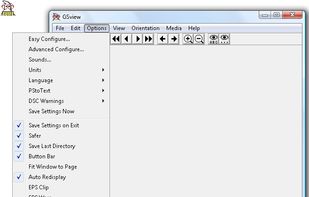
Use Ghostscript GSview to open PDF files with owner password restrictions. The Ghostscript-based PDF viewer disregards Adobe security settings. You can print a restricted PDF file, convert it to other formats, or extract text content and export it as plain text.
Cost / License
- Free
- Proprietary
Alerts
- Discontinued
Platforms
- Windows
from https://gsview.com/ : Artifex is announcing end of life for GSView 6.0. Support will no longer be available.From time to time, Artifex may find it necessary to discontinue products for a number of reasons, including technology innovations, changes in market demand for the product, or obsoles

Features
Tags
- Remove PDF Passwords and Restrictions
- recover-pdf-password
GSView News & Activities
Recent activities
GSView information
Developed by
 Russell Lang
 Licensing
Proprietary and Free product.Alternatives
17 alternatives listedSupported Languages
- English


What is GSView?
Use Ghostscript GSview to open PDF files with owner password restrictions. The Ghostscript-based PDF viewer disregards Adobe security settings. You can print a restricted PDF file, convert it to other formats, or extract text content and export it as plain text. However GSview cannot remove or bypass user passwords.
Beta release: http://gsview.com/
Read more: How Do I Get Past Adobe PDF Security Settings? | eHow.com http://www.ehow.com/how_6541607_do-adobe-pdf-security-settings_.html#ixzz1Mw9yIDlp
Comments and Reviews
GSView (2) is the best free solution to unlock pdf-files to be able to edit or comment the pdf-files You can download a 32bit (gsv49w32.exe ) or a 64 bit (gsv49w64.exe ) setup file from (3) and install GSView on 32bit or 64 bit-Windows. To unlock pdf-files you simply must open a pdf-file, then convert to device "pdfwrite" and save without changing any settings. The unlocked pdf-file is saved with OwnerPassword and UserPassword "not defined" by default, if you do not change the passwords. Now you can edit and comment the file e.g. with PDF XChange Viewer (1).
(1) PDF-XChange Viewer
(2) GSView
(3) http://pages.cs.wisc.edu/~ghost/gsview/get49.htm
WorkAround to be able to select German or other languages in the 64 bit version The file gsview\gsvw64de.dll in the directory must be changed to gsview\gsvw32de.dll to be able to select the german language. It is probably similar in other languages.