gpick Alternatives

gpick is described as 'A color picker and color scheme creation tool' and is a Color Picker tool in the photos & graphics category. There are more than 50 alternatives to gpick for a variety of platforms, including Windows, Mac, Web-based, Linux and Google Chrome apps. The best gpick alternative is Realtime Colors, which is free. Other great apps like gpick are Just Color Picker, Sip, Hexee Pro and Pika.

Copy a direct link to this comment to your clipboard
gpick alternatives page was last updated

Alternatives list

  1. pkColorPicker icon
     3 likes
    Copy a direct link to this comment to your clipboard

    This color picker is an extensive and easy to use color selection tool for web designers, graphic producers and developers. Supported color number formats: decimal, vrml, hexadecimal and RGB hex.

    Cost / License

    • Free
    • Proprietary

    Application type

    Platforms

    • Windows
     
  2. Copy a direct link to this comment to your clipboard

    Pick Color Online is the best way to pick any color from your screen. With just one click you can easily extract any color from a PDF file, website, image or anywhere on your screen.

    Cost / License

    • Free
    • Proprietary

    Application type

    Platforms

    • Online
     
  3. Pipette icon
     10 likes
    Copy a direct link to this comment to your clipboard

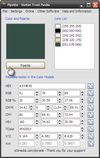
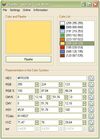
    With the pipette you are able to edit, convert and pick up colors from your screen. Pipette also supports a lot of standards or color models (RGB, CMY, CMYK, HSV, TColor and XYZ0). Color models are nothing but theoretical descriptions of colors using certain numeric values.

    Cost / License

    • Free Personal
    • Proprietary

    Application type

    Platforms

    • Windows
     
  4. Copy a direct link to this comment to your clipboard

    Bella is a simple eye dropper and color picker. You can pick color from the screen and save it in any color format.

    Cost / License

    • Free
    • Open Source

    Application type

    Platforms

    • Linux
    • Flathub
    • Flatpak
     
  5. ColorManager icon
     3 likes
    Copy a direct link to this comment to your clipboard

    Color Manager is a color management utility. Color Manager expects colors in RGB, CMYK, HSV, YUV and hex value to for all sorts of purposes (for example, colors of an application or website). In the pipette mode can also easily one color can be chosen from the active desktop.

    Cost / License

    • Free
    • Proprietary

    Application type

    Platforms

    • Windows
    • .NET Framework
     
  6. Zzoom icon
     4 likes
    Copy a direct link to this comment to your clipboard

    A free screen zoomer, color picker and image grabber, all in one!.

    Cost / License

    • Free
    • Proprietary

    Application type

    Platforms

    • Windows
     
  7. Copy a direct link to this comment to your clipboard

    Hopefully, the last desktop color picker you will ever need. For developers/graphic designers, having simple and easy tools is essential. Created out of necessities, Color Pickin' is that kind of tool: simple, no fluff, just works.

    Cost / License

    • Freemium (Pay once)
    • Proprietary

    Application type

    Platforms

    • Windows
     
  8. ColorMixer icon
     3 likes
    Copy a direct link to this comment to your clipboard

    ColorMixer is a powerful application for mixing colors. You choose a color and ColorMixer will calculate 8 harmonic colors based on the one you’ve chosen. It’s user interface offers lots of utilities to choose colors.

    Cost / License

    • Free
    • Proprietary

    Application type

    Platforms

    • Windows
    • Java
     
  9. Copy a direct link to this comment to your clipboard

    Hex Color Picker puts an extra tab in the system-wide color panel. Instantly see the hex color code for any color, and edit it just the same with a number of shorthands.

    Cost / License

    • Free
    • Proprietary

    Application type

    Alerts

    • Discontinued

    Platforms

    • Mac
     
  10. Copy a direct link to this comment to your clipboard

    "La Boîte à couleurs" is a freeware for Windows written by Benjamin Chartier. It gives you a set of usefull tools to pick, convert and modify colors. Supported color models are:

    Cost / License

    • Free
    • Proprietary

    Application type

    Platforms

    • Windows
     
  11. Copy a direct link to this comment to your clipboard

    Find your color using our image color picker. Click on the image to get color in HEX, RGB, HSL and CMYK format. You can also generate a color palette from an image.

    Cost / License

    • Free
    • Proprietary

    Application type

    Platforms

    • Online
     
  12. Copy a direct link to this comment to your clipboard

    PickXColor is a browser-based tool that enables users to select any color displayed on their screen without the need for additional software installations. It operates directly within web browsers such as Chrome, Edge, or Opera, making it convenient for designers, developers...

    Cost / License

    • Free
    • Proprietary

    Application type

    Platforms

    • Online
     
You are at page 6 of gpick alternatives