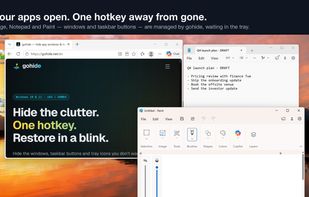
gohide is a boss key for Windows 11 and Windows 10. Press one global hotkey and the apps you choose disappear completely - window, taskbar button and system-tray icon, all at once. Press again and everything comes back exactly where it was.
Most "hide window" tools only hide the window: the taskbar button keeps flashing and the tray icon still sits in the corner. gohide removes every trace of the apps you pick, then restores them in place - position, size and stacking order intact. It still hides tray icons on the current Windows 11 notification area, where many older window hiders quietly stopped working.
What people use it for:
- Hide apps while screen sharing or presenting: Teams, Zoom, Discord, chat and mail windows vanish with one keystroke
- Keep private windows private on a shared or family PC
- Pause a game or a download in a blink when someone walks in (Pro can suspend the process so it stops using CPU and GPU)
- Clear distractions to focus: one key hides Slack, Telegram, WhatsApp and browsers, one key brings them back
- Hide a program from the taskbar and Alt+Tab without closing it
How it works: tick the running apps you want gohide to manage, press the hide hotkey (default Ctrl+Alt+H), press the restore hotkey (Ctrl+Alt+Shift+H). Every app can also get its own hotkey; a lock-screen hotkey and a hotkey that hides gohide itself are included.
Free: up to 3 managed apps, all global hotkeys, tray-icon hiding, mute while hidden; your apps, hotkeys and preferences are kept between restarts. No account, no time limit. Pro (one-time purchase, never a subscription): unlimited apps, per-app hotkeys remembered across restarts, suspend a hidden app's process, privacy cover screen on "Hide all", hot-corner and mouse-button triggers, dynamic auto-hide rules, PIN lock for settings.
gohide acts only on the apps you choose, only when you trigger it, and every action is reversible. It works fully offline: no account, no telemetry. Windows 10 and 11, x64 and ARM64.







 gohide added gohide as alternative to Clicky Gone and Hide my Windows


Comments and Reviews
Looks like a solid alternative, will check it out.