Gitdeck icon
Gitdeck icon

Gitdeck

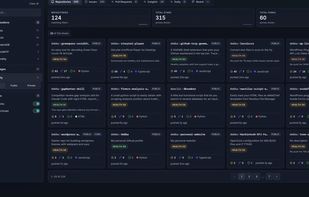
Open-source Git dashboard for GitHub, GitLab, and Forgejo: repositories, issues, pull requests, notifications, traffic, CI, contributors, dependents, and kanban boards.
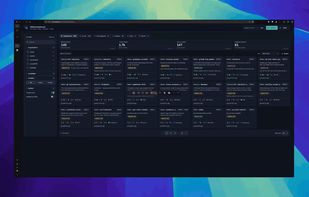
Gitdeck screenshot 1

Cost / License

  • Free
  • Open Source (MIT)

Platforms

  • Docker
  • Typescript
  • Mac
  • Windows
  • Linux
Gitdeck screenshot 1
Gitdeck screenshot 2
+2
Gitdeck screenshot 3
0likes
0comments
0alternatives
0articles

Features

Integrations

  1. GitHub icon  GitHub
  2. GitLab icon  Gitlab
  3. Git icon  Git
  4. Codeberg icon  Codeberg

Features

  1.  Dark Mode
  2.  Ad-free
  3. Git icon  Git Support
  4.  Dashboard
  5.  Pull requests

Gitdeck News & Activities

Highlights All activities

Recent activities

  • POX added Gitdeck

Gitdeck information

  • Developed by

    IT flagAndrea Debernardi
  • Licensing

    Open Source (MIT) and Free product.
  • Written in

  • Alternatives

    0 alternatives listed
  • Supported Languages

    • English

AlternativeTo Category

Development

GitHub repository

  •  390 Stars
  •  47 Forks
  •  4 Open Issues
  •   Updated  
View on GitHub
Gitdeck was added to AlternativeTo by Paul on and this page was last updated .
No comments or reviews, maybe you want to be first?

What is Gitdeck?

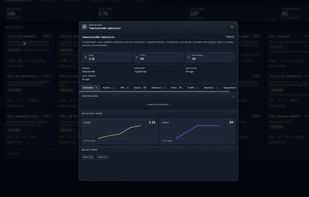
An open-source, local dashboard to explore repositories, issues, pull requests, traffic, and CI activity across multiple accounts on GitHub, GitLab, and Forgejo-compatible forges (Codeberg, self-hosted) — from a single interface.

What it does:

The dashboard pulls data from the GitHub REST and GraphQL APIs and organizes it into a few different views:

  • Repositories — paginated grid with description, language, stars, forks, open issues, last push and a per-repo health score. Filter by organization, language, visibility, forks/archived; sort by stars, recent activity, etc.
  • Issues / Pull Requests — cross-repo lists with the same filter sidebar, useful for triage across many projects.
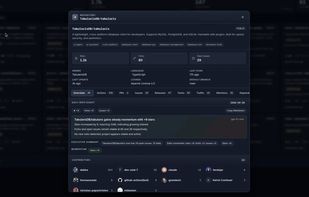
  • Insights — overview of all repos with alerts ("issues need attention", "security alerts need attention", "no push for X days"), opportunities, and correlations between traffic and recent activity. Each repo gets a status (Strong / Watch / Risky).
  • Alerts — dedicated security-alert view for Dependabot and code scanning findings, so you can jump straight to the repos that need attention.
  • Daily digest — short per-repo summary of the day's movement (stars, forks, issues), with an executive summary you can copy as Markdown. Optionally augmented by an OpenAI-generated narrative when OPENAI_API_KEY is configured.
  • Board — Kanban-style view that groups issues into columns (Backlog, To-do, In progress, Ready, In review, etc.).

Official Links