GClaude Indexer turns a folder of documents into a searchable index without sending anything to the cloud.
You point it at a folder of scanned PDFs, Word, Excel and PowerPoint files, images, emails or plain text. It scans the folder, runs OCR only on the pages that have no text layer, slices oversized PDFs into readable chunks and reads every page. It then classifies the content into discrete items, each with a type, a date where one can be found, an author and a short summary, and writes back four Markdown files: an index of every item, a timeline ordered by date, a review report listing gaps and failures, and a set of instructions ready to paste into an AI project. The original documents are never modified.
Classification can be done four different ways, and three of them never leave the machine. The default runs an open model through Ollama on the local machine, with the host fixed in code rather than read from configuration, so no document, page of text or even file name travels over the network. A deterministic rules engine needs no model at all and runs on any machine with no GPU and no download. A fourth engine can route the work through Claude Code, and it is the only one that uses the network.
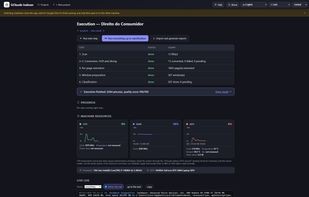
The interface is a local web app in English, Portuguese and Spanish, with live CPU, RAM and GPU graphs, pause and resume, and a quality report comparing engines and models against the same collection.
Note that the quality score measures the engine's declared confidence and how completely it filled the fields. It does not measure whether the classification was correct.
Windows 10 and 11 only. The included installer sets up Python, Tesseract, Ghostscript and Ollama automatically.







 O-STI-O added GClaude Indexer as alternative to Paperless-ngx, Papra and Paperwork


No comments or reviews, maybe you want to be first?