
Gantt Chart Maker
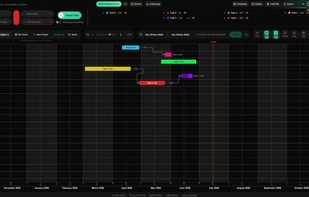
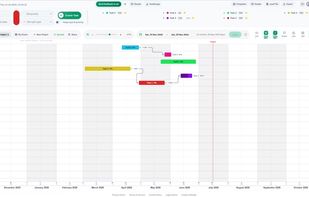
Gantt Chart Maker is a free, browser-based tool for building project timelines — no signup, no account, and nothing to install. Add tasks, group them into phases, set milestones, and drag any bar to reschedule; dependency arrows re-route as you go, with all four link types...
Cost / License
- Free
- Proprietary

Platforms
- Online


Gantt Chart Maker
Features
Properties
- Lightweight
Features
- Dark Mode
- Cloud Sync
- Real time collaboration
- Goal Setting
- Import CSV Data
- Kanban Board
- Subtasks
- No registration required
- Goal Tracking
- Timeline
- Strategy planning
- Content Templates
- Team Collaboration
- Progressive Web App
- Planning
- Wedding Planning
- Hybrid Agile Project Management
- Meal planning
- Customizable templates
- Premade templates
Import from Google Sheets
- Collaborative project management
- Appointment Scheduling
Import From Excel
- XML import / export
- Work management
- Scheduling
- Project Tracking
- Multiple languages
- Share Roadmaps
Tags
- personal-project-management
- multilingual-content
- roadmap
- ai-integration
- cross-platform-publishing
- milestone-tracking
- finance-planning
- task-planning
- multilingual-website
- Project Scheduling
- Remote Work Management
- roadmap-planning
- project-planning
- chart-maker
- Artificial intelligence
- financial-planning
- timeline-maker
- roadmapping
- productivity
Gantt Chart Maker News & Activities
Recent activities
- POX updated Gantt Chart Maker
- fotispetrou added Gantt Chart Maker
Gantt Chart Maker information
What is Gantt Chart Maker?
Gantt Chart Maker is a free, browser-based tool for building project timelines — no signup, no account, and nothing to install. Add tasks, group them into phases, set milestones, and drag any bar to reschedule; dependency arrows re-route as you go, with all four link types (finish-to-start, start-to-start, finish-to-finish, start-to-finish) plus lead and lag. Everything runs in your browser, so by default your charts stay on your device.
It comes with ready-made templates for real projects — weddings, product launches, home renovations, software releases and more — and exports to PNG, JPG, SVG, PDF, CSV/XLSX, Microsoft Project XML, TaskJuggler, and a portable .gantt file. It works offline as an installable PWA, and an optional free account adds cloud sync and real-time collaboration. The interface is available in eight languages, and a built-in MCP server lets Claude and other AI assistants create and edit your charts just by chatting.