





GamingMonitor
Like
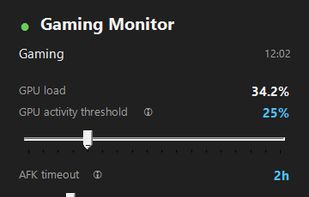
Windows tray utility that keeps your PC awake while gaming or downloading — DualSense/XInput/GPU aware, self-updating

Cost / License
- Free
- Open Source (MIT)
Application type
Platforms
- Windows

Features
GamingMonitor News & Activities
Highlights All activities
Recent activities
- dms137 added GamingMonitor
- dms137 updated GamingMonitor
 dms137 added GamingMonitor as alternative to Caffeine for Windows, PowerToys - Awake and Don't Sleep

GamingMonitor information
Developed by
 dms137
 Licensing
Open Source (MIT) and Free product.Written in
Alternatives
3 alternatives listedBadge
Get an embeddable badge for GamingMonitorSupported Languages

AlternativeTo Categories
OS & Utilities, Gaming SoftwareGitHub repository
- 0 Stars
- 0 Forks
- 0 Open Issues
- Updated


No comments or reviews, maybe you want to be first?