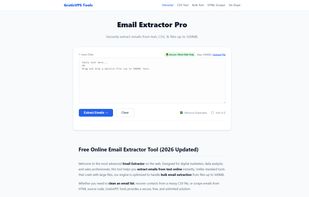
Welcome to the most advanced Email Extractor on the web. Designed for digital marketers, data analysts, and sales professionals, this tool helps you extract emails from text online instantly. Unlike standard tools that crash with large files, our engine is optimized to handle bulk email extraction from files up to 500MB.
Whether you need to clean an email list, recover contacts from a messy CSV file, or scrape emails from HTML source code, GratisVPS Tools provides a secure, free, and unlimited solution.
Why use this Bulk Email Scraper?
500MB File Support: We support massive datasets. Upload your server logs, SQL dumps, or huge text files to find every hidden email address.
Extract Emails from CSV & Excel: Don't waste time with complex Excel formulas. Simply drag your CSV file into the box, and we will pull every email from every column automatically.
100% Secure (Client-Side): Privacy is our priority. Your data is processed using local JavaScript. No files are ever uploaded to our servers.
Remove Duplicate Emails: Our built-in "De-Dupe" feature instantly removes repeated addresses, ensuring your marketing list is clean and ready for campaigns.
How to Extract Emails from Text Online
Paste or Upload: Copy text containing emails and paste it into the input box. You can also drag & drop .txt, .csv, .json, or .html files.
Select Options: Ensure "Remove Duplicates" is checked if you want a unique list. Select "Sort A-Z" to organize your results alphabetically.
Click Extract: Press the "Extract Emails" button. Our algorithm uses advanced regex patterns to identify valid email formats (e.g., name@domain.com).
Download List: Click "Copy to Clipboard" or use the "Download .CSV" button to save your new clean list.







 GratisVPS
No comments or reviews, maybe you want to be first?