





Frame Craft
1 like
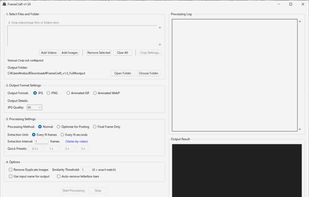
Frame Craft is a Windows desktop application for extracting images from video and animated files at precise frame-based or time-based intervals. It can also convert source files into GIF or WebP animations.

Cost / License
- Pay once
- Proprietary
Platforms
- Windows


Features
Highlights All activities
Frame Craft News & Activities
Recent activities
- Nekzuk updated Frame Craft
 Nekzuk added Frame Craft as alternative to VideoFrameExtractor
 Nekzuk added Frame Craft as alternative to Video Frame Extractor
- Nekzuk liked Frame Craft
 Nekzuk added Frame Craft as alternative to ImageFlow
- Nekzuk updated Frame Craft
- Nekzuk added Frame Craft
 Nekzuk added Frame Craft as alternative to WonderFox Video to Picture


Developed by
 nekzuk Software
 Licensing
Proprietary and Commercial product.Pricing
One time purchase (perpetual license) that costs $4.Alternatives
4 alternatives listedBadge
Get an embeddable badge for Frame CraftSupported Languages
No comments or reviews, maybe you want to be first?