foldelight icon
foldelight icon

foldelight

foldelight is a native macOS app that turns the MacBook lid into a physical control for a live desktop folding effect.
foldelight screenshot 1

Cost / License

Platforms

  • Mac
Alternatives
0likes
0alternatives
0articles

Features

Properties

  1.  Privacy focused

Features

  1.  No Tracking
  2.  Ad-free
  3.  No registration required
  4.  Works Offline
  5.  Blur Filter

foldelight News & Activities

Highlights All activities

Recent activities

foldelight information

AlternativeTo Category

OS & Utilities

GitHub repository

  •  19 Stars
  •  0 Forks
  •  0 Open Issues
  •   Updated  
View on GitHub
foldelight was added to AlternativeTo by Paul on and this page was last updated .
No comments or reviews, maybe you want to be first?

Official Links

What is foldelight?

foldelight is a native macOS app that turns the MacBook lid into a physical control for a live desktop folding effect.

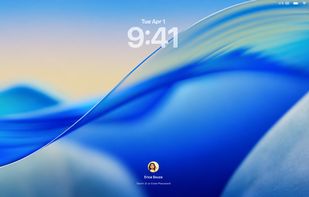
The visual idea is inspired by the folding-glass effect shown for iPhone Duo. The desktop stays fixed in its fully open position while a separate glass plane follows the lid. Closing the lid changes the view through that glass: the desktop gains perspective, its rounded boundary diffuses, its sides darken, and the image fades to black by the geometric fold limit. Opening the lid retraces the same motion.

This is an independent open-source interpretation. It does not reuse the reference implementation and is not affiliated with Apple.

What it does:

  • Reads the built-in MacBook lid-angle sensor.
  • Captures the complete built-in display, including the menu bar.
  • Renders the fold at native Retina resolution with Metal.
  • Keeps the desktop on a fixed plane while the virtual glass follows the lid.
  • Preserves rounded corners from the first visible fold to the final frame.
  • Adds depth-dependent blur and a side vignette without a pale color veil.
  • Fades continuously to black during the final 20% of available fold travel.
  • Uses the display refresh rate, up to 120 Hz on supported hardware.
  • Includes a draggable miniature that previews the same shader without capture permission.

The default effect uses 90% Blur, 50% Vignette, and a 90° activation angle. Existing saved settings remain unchanged after an update. Select Reset effect to apply the current defaults.