
FlowPick icon
FlowPick icon

FlowPick

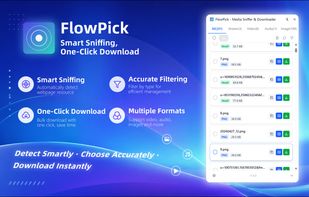
A powerful, all-in-one media resource sniffer and downloader extension. Automatically detect and bulk download videos (M3U8/HLS to MP4), audio, and images from any webpage. Privacy-focused with local conversion.
FlowPick screenshot 1

Cost / License

  • Free
  • Open Source (MIT)

Platforms

  • Google Chrome
  • Mozilla Firefox
  • Microsoft Edge
  • Online
0likes
0comments
0articles

Features

Properties

  1.  Lightweight
  2.  Privacy focused

Features

  1.  No registration required
  2.  No Tracking
  3.  Ad-free
  4.  Dark Mode
  5.  MP3 Downloader
  6.  Support for 4K
  7.  Image Downloader
  8.  Browser extension

FlowPick News & Activities

Highlights All activities

Recent activities

FlowPick information

  • Developed by

    Unknown
  • Licensing

    Open Source (MIT) and Free product.
  • Written in

  • Alternatives

    1 alternatives listed
  • Supported Languages

    • English
    • Japanese
    • Chinese
    • Korean

AlternativeTo Categories

Audio & MusicPhotos & GraphicsWeb Browsers

GitHub repository

  •  3 Stars
  •  1 Forks
  •  0 Open Issues
  •   Updated  
View on GitHub
FlowPick was added to AlternativeTo by ezwebtools on and this page was last updated .
No comments or reviews, maybe you want to be first?

What is FlowPick?

🚀 FlowPick - The Ultimate Web Media Sniffer & Downloader

Tired of struggling to save videos, music, or images from your favorite websites? Meet FlowPick, your all-in-one media capture assistant. With just one click, FlowPick sniffs out hidden resource URLs on any webpage and lets you download them instantly!

🌟 Core Features: • 📹 Advanced Video Sniffing: Easily detect and download web videos, including complex HLS, M3U8 streams, and MP4 formats. • 🎵 Audio & Music Extractor: Capture background music, podcasts, and audio tracks effortlessly. • 🖼? Image Bulk Downloader: Scan all images on a page, preview them, and download them in a single batch. • ? 1-Click Operation: No complicated setups. Clean, intuitive interface designed for everyone. • 🔍 Live Preview: Preview media files before downloading to ensure you get exactly what you need.

How it works: Just browse any website, open FlowPick, select the sniffed media resources from the list, and hit download. Experience the easiest way to save web media today! 🎉