


Floorp
Open-source browser based on Firefox, combining advanced privacy and tracking protection with a Chromium-inspired interface, cross-platform support, customization options, compatibility with Firefox extensions, regular updates, efficient performance, and multilingual support.

Cost / License
- Free
- Open Source (MPL-2.0)
Application type
Platforms
- Mac
- Windows
- Linux
- Snapcraft
- Flathub
- Flatpak


Features
Properties
- Customizable
- Privacy focused
- Support for Themes
- Lightweight
Features
- Firefox-based Browsers
- Extensible by Plugins/Extensions
- Sidebar
- No Tracking
- Dark Mode
- Synchronization
- Block Trackers
- Ad-free
- Based on Gecko engine
- Support for Gestures
- No registration required
- Cloud Sync
- Picture in Picture
- Vertical Tabs
- Tree Style Tabs
- Portable
- Works Offline
- Workspaces
- Multiple Account support
- Website Translation
- Integrated Password Manager
Floorp News & Activities
Recent News
- Fla published news article about Floorp
 Floorp introduces Zen Mode and enhanced Split View with 4 panes
Floorp v12.12.0 introduces a new Zen Mode, allowing users to browse with a minimized interface and ...
- Fla published news article about Floorp
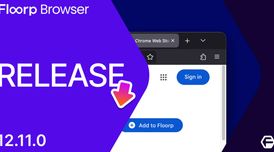 Floorp v12.11.0: now supports Chrome Extensions & fixes key bugs
Floorp browser now supports Chrome extensions directly in its standard release, allowing users to a...
- POX published news article about Mozilla Firefox
 Our honest take on the best Firefox-based web browsers for top privacy and customization
I’ve been using Firefox-based browsers for years, not because I’m a tech hermit (though I’ve been c...


Recent activities
- koltci liked Floorp
- Zari37 liked Floorp
 glebschkv added Floorp as alternative to VoidBrowser
- holybreadman liked Floorp
 openconstruct added Floorp as alternative to Umbra Browser
 fabiom added Floorp as alternative to Immersive Translate
- lynh liked Floorp




Featured in Lists

Because f*ck Chrome and Chromium-based browsers.
How are you? In this list I bring you a variety of alternative software to those from Microsoft, and also that these …
After Mozilla terms of use changes that could allow the company to sell or buy users’ Firefox data, many users (me …
What is Floorp?
The Floorp project is a project that seeks privacy and a balance between anonymity and the public nature of the web.
The Floorp browser is based on  Mozilla Firefox, but delivers an entirely different experience from Firefox, with a
  Chromium -like UI and features.
Floorp Videos
Floorp information
Developed by
 Ablaze
 Licensing
Open Source (MPL-2.0) and Free product.Written in
Rating
Average rating of 4.7Alternatives
144 alternatives listedNews
7 news article related to FloorpSupported Languages
- English

AlternativeTo Categories
Web Browsers, Backup & Sync, Education & ReferenceGitHub repository
- 8,085 Stars
- 249 Forks
- 92 Open Issues
- Updated


Comments and Reviews
Honestly, it's one of the best Firefox based browsers I've tested so far, could say it's on par with Librewolf. Though lacking in some privacy it provides a lot, and I would say the most customization to a modern Firefox browser I've seen yet. Resource usage is also better than Waterfox. Though it is lagging behind the newest Firefox features found in Firefox Nightly; like video upscaling with GPU.
This web browser is not installed on the licensed Windows 11 Enterprise operating system. What is strange is that Edge, Opera, Vivaldi, Chrome, FireFox and others have been successfully installed before. This usually happens with «raw» browsers of the second grade - Basilisk, Falcon, Lunascape, Sleipnir.
My favorite Firefox-based browser of all the alternatives out there, although some jank related to some of its exclusive features such as Workspaces, appearance options and the sidebar could turn some people away though.
The best Firefox ESR alternative so far. Their Portable version even supports the auto-update feature.
They work under Ablaze which is a Japanese student community that does Floorp. Ablaze is not a company if you need it clear on plain-text.
EARLY Q2 2025 EDIT: There's a "new" portable version by PortApps which lacks an auto-updater. Ablaze "dropped" their own portable version, source: https://blog.floorp.app/en/notice/end-of-support-portable-v1.html
For those who want an open source browser with more security and privacy than Firefox, I recommend Floorp. With a few tweaks to the settings, you can make it even better. Of all the Firefox forks, it's the one that looks the best and offers the most possibilities in this regard. I used to use the Zen browser, but they've removed the portable version and still haven't added the possibility of using horizontal bars... Congratulations to the Floorp developers for their excellent work. Floorp, LibreWolf, Mullvad, Tor and Cromite are the browsers I use and recommend.
This Japanese browser works well on Windows 10. Does not work on Windows 8.1. Works well, without errors and shutdowns. The start page shows different photos every time it's launched. The speed is fine on an SSD disk.
Based on the Quantum engine.
There is no easy option to disable updates.
Vertical tabs can be collapsed in general settings. There is no shortcut key for collapsing and expanding tabs. You cannot adjust the width of the collapsed tab bar. When not collapsed, you can adjust the width, but you cannot lock it. A lot of extra space is occupied by the lower buttons, which cannot be removed in any way; there are no settings. The size of the tabs and font cannot be changed. There is no auto-update of the tab by timer. You cannot rename the name of a tab, and you cannot choose where to get the name from.
The toolbar can be moved down. There are no empty fields left at the top. This feature makes this browser the most visually pleasing to date.
You can configure the time for unloading tabs from RAM. You can also disable uploading.
Sidebar, workspaces can be disabled. I don’t use them, so I don’t undertake to review them.