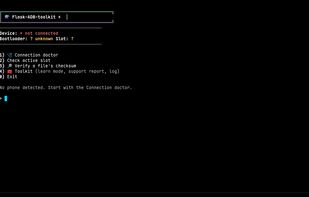
Flask ADB toolkit icon

Flask ADB toolkit

⚡ A fun terminal toolkit that makes flashing ROMs, vendor images & partitions easy — even if you've never flashed anything before.
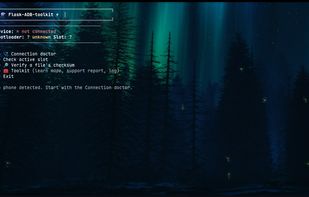
Flask ADB toolkit screenshot 1

Cost / License

  • Free
  • Open Source (MIT)

Platforms

  • Linux
  • Windows
  • Mac
  • Arch Linux
Flask ADB toolkit screenshot 1
Alternatives
1like
0alternatives
0articles
Save

Features

  1.  Portable
  2.  Optimized for Fastboot mode

Flask ADB toolkit News & Activities

Highlights All activities

Recent activities

Flask ADB toolkit information

AlternativeTo Category

OS & Utilities

GitHub repository

  •  0 Stars
  •  0 Forks
  •  4 Open Issues
  •   Updated  
View on GitHub
Flask ADB toolkit was added to AlternativeTo by DEDSECt on and this page was last updated .

No comments or reviews, maybe you want to be first?

What is Flask ADB toolkit?

Tagline: One little flask: every flashing tool you'll ever need, in one terminal menu.

Description: Flask-ADB-toolkit is a free, open-source, menu-driven toolkit for adb and fastboot. It puts the common Android flashing, recovery and maintenance tasks into a single terminal menu that adapts to whatever mode your phone is in, so you don't have to remember or retype the commands. It works on any Android device. It runs the same real adb and fastboot commands underneath, with YES confirmations before anything dangerous.

Features:

  • Auto-detecting ROM flasher: point it at a ROM folder and it finds vbmeta, dtbo, boot, init_boot, vendor_boot, super_empty and the ROM zip. It flashes what is there in a safe order, then reboots to recovery and sideloads. ROMs that ship payload.bin are unpacked automatically with payload-dumper-go.
  • Generic partition flashing: boot, init_boot, recovery, vbmeta, system, super, or any partition name you type, with slot suffix handling and vbmeta verification flags built in.
  • Checksum verifier: check a file against an expected SHA256 before you flash. The flasher also detects .sha256 / SHA256SUMS files next to ROM zips and verifies them for you.
  • Recovery and sideload helpers: reboot to recovery from fastboot or a booted system, sideload GApps or Magisk zips, and reboot to system from recovery.
  • Safety tools: connection doctor, pre-flight safety checks and snapshots.
  • Maintenance and cleanup: a resumable performance pass that speed-compiles every app, deep-clean for orphaned app data, battery and storage reports, live logcat, screenshots and APK installs.
  • Cross-platform: Linux, macOS and Windows. On Windows, double-click the .bat file. The PowerShell launcher finds Git Bash and offers to install Google's platform-tools.

Requirements: adb and fastboot. The toolkit is a single bash script, released under the MIT licence.