


Flashblock
55 likes
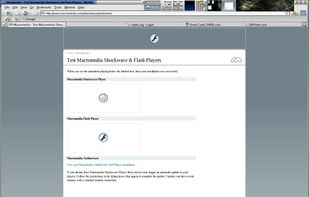
Flashblock takes a pessimistic approach to dealing with Macromedia Flash content on a webpage and blocks ALL Flash content from loading. It then leaves placeholders on the webpage that allow you to click to download and then view the Flash content.

Platforms
- Mac
- Windows
- Linux
- Firefox


Discontinued
This extension doesn't exist anymore.

Features
Highlights All activities
Flashblock News & Activities
Recent activities
No activities found.


Developed by
Philip CheeLicensing
Proprietary and Free product.Alternatives
7 alternatives listedBadge
Get an embeddable badge for FlashblockSupported Languages


Security and Privacy Enhancing Firefox Add-ons
The add-ons on this list will harden your Firefox installation against security risks and invasions of privacy.
Be sure to also get a secure, anonymous, no logs, leak proof VPN service that is based outside of the Five Eyes (the US, the UK, Australia, Canada, and New Zealand) and the Enemies of the Internet. You'll find a list of options here.
Are you more of a Chrome/Chromium kind of person? Don't worry, we got you covered as well.
Official Links
There are no links for this app, or they've been disabled.
Comments and Reviews
I'm generally not a big fan of these types of "shoot first, ask questions later" extensions (case in point: NoScript and co.), but in the last few months, I've actually found Flashblock to be surprisingly useful. For starters, it's not particularly annoying to use--enabling Flash on a case-by-case basis is quick and always just one click away. Unlike in the case of NoScript, it doesn't actually break any websites; instead, disabling Flash with Flashblock simply lets you speed up the loading times on webpages that may not even have needed Flash to look good in the first place.
Also, one happy side effect of Flashblock is that it blocks nearly all in-video ads. (One exception: Hulu. Sorry folks, no silver bullet here.)