


Firework
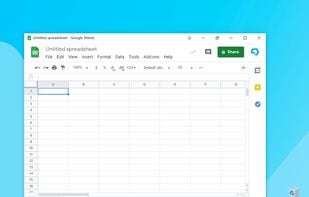
Firework is a program for converting websites and web applications into desktop applications. People use one set of web applications every day for work or play. Firework allows you not to lose such a set among browser tabs and keep it always at hand on the Taskbar or in the...
Cost / License
- Freemium (Subscription)
- Proprietary
Platforms
- Mac
- Windows
- Linux

Features
- Multiple Account support
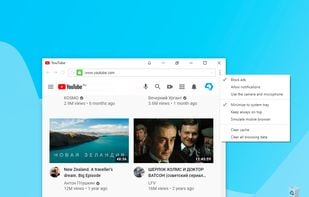
- Live Push Notifications
- Integrated Web Browser
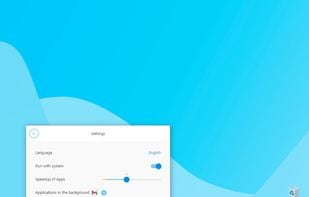
- Multiple languages
- Tabbed interface
Tags
- saas-management
- Speedup
- saas-sidebar
- web-applications
- Chat Clients
Firework News & Activities
Recent News
Recent activities
- richen updated Firework
What is Firework?
Firework is a program for converting websites and web applications into desktop applications. People use one set of web applications every day for work or play. Firework allows you not to lose such a set among browser tabs and keep it always at hand on the Taskbar or in the System tray.
Applications made by Firework look like regular programs and start instantly. The user can customize the application icon, receive notifications, manage one application using several accounts at the same time and use hotkeys for navigation.
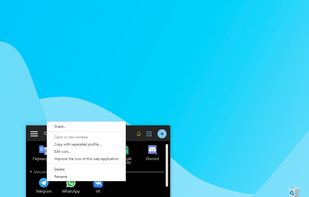
Firework allows the user to create his own working space, where he can always find the service he needs and can comfortably manage it. In the launch window, the user can create applications using the link and place it in a special category that he chooses. Firework’s mission is to increase your productivity and mental comfort.
What can Fireworks help a user with?
To get an app from any site. Work with multiple accounts in one application at the same time. To get a free version of the program if it paid.
Firework information
Developed by
 Startpack
 Licensing
Proprietary and Freemium product.Pricing
Subscription that costs up to $9 per month + free version with limited functionality.Alternatives
15 alternatives listedSupported Languages
- English
- Russian


Comments and Reviews
Like the concept of being able to run websites as their own app. But this uses Chrome 87 when the latest version as of this review is 131. So if the version of Chrome isn't updated many websites may stop working properly over time.
MADE IN RUSSIA, you do!
It works fine, uses much less RAM than a browser (CPU, too). I would probably keep using this application for podcasts or SoundCloud. I don’t really like the interface, but it’s just a minor thing. Overall, Firework is very good. Also, about security - it’s not clear how it all works and I essentially give this thing my logins and passwords. In general, again, nice application. Well done.
Had an instance where I had to switch between four different emails as Twitch and Twitter were constantly banning and unbanning my accounts. I grew tired after two days of this and tried to find something to fix the problem. Someone recommended this. I wasn’t really expecting anything, but Firework actually helped and I had an okay experience with it. Didn’t really use it much afterwards, until recently. I realised that it’s capable of much more than just seamlessly switching between different email accounts. You can use absolutely any web service with it, and you can pin it so it’s always just a click away. Technically you don’t even need to use a browser at all if you’re using Firework. Less distractions, more space on the screen, faster loading speed and so on and so forth. I haven’t really tried any alternatives yet, but I feel like I don’t really need them for now.