


Fast Video Maker
1 like
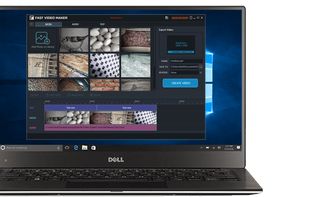
Create engaging videos from photos and clips, add text captions, sound effects, and music. Export in multiple formats, make social media posts or training videos, combine media easily, and access a user-friendly interface suitable for beginners on Windows systems.

Cost / License
- Freemium (Subscription)
- Proprietary
Application type
Platforms
- Windows


Features
Highlights All activities
Fast Video Maker News & Activities
Recent activities
- vandanagupta updated Fast Video Maker
- vandanagupta liked Fast Video Maker
- vandanagupta added Works Offline as a feature to Fast Video Maker
- vandanagupta added Chroma Key / Green Screen as a feature to Fast Video Maker
- vandanagupta added Dark Mode as a feature to Fast Video Maker
- vandanagupta added No Tracking as a feature to Fast Video Maker
- vandanagupta added Privacy focused as a feature to Fast Video Maker
- vandanagupta added Lightweight as a feature to Fast Video Maker
- vandanagupta added Live Preview as a feature to Fast Video Maker
- vandanagupta added Support for 4K as a feature to Fast Video Maker
Developed by
 Fast PC Tools
 Licensing
Proprietary and Freemium product.Pricing
Subscription ranging between $3 and $5 per month + free version with limited functionality.Alternatives
29 alternatives listedBadge
Get an embeddable badge for Fast Video MakerSupported Languages


No comments or reviews, maybe you want to be first?