EXE Explorer icon
EXE Explorer icon

EXE Explorer

 8 likes

It reads and displays executable file properties and structure. It is compatible with PE32 (Portable Executable), PE32+ (64bit), NE (Windows 3.x New Executable) and VxD (Windows 9x Virtual Device Driver) file types. .NET executables are supported too.
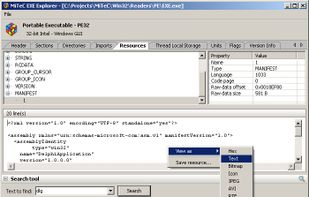
EXE Explorer screenshot 1

Cost / License

  • Free
  • Proprietary

Platforms

  • Windows
8likes
0articles
Save

Features

Features

Highlights All activities

EXE Explorer News & Activities

Recent activities

EXE Explorer information

AlternativeTo Category

Development
EXE Explorer was added to AlternativeTo by piotrex on and this page was last updated .

No comments or reviews, maybe you want to be first?

Official Links

Install from the command line

  • winget install -e --id MiTeC.ExeExplorer

Be careful what you paste into a terminal. Check what a command installs before running it.

What is EXE Explorer?

It reads and displays executable file properties and structure. It is compatible with PE32 (Portable Executable), PE32+ (64bit), NE (Windows 3.x New Executable) and VxD (Windows 9x Virtual Device Driver) file types. .NET executables are supported too.

It enumerates introduced classes, used units and forms for files compiled by Borland compilers. It contains powerfull Resource Viewer that is able to abalyze and display al basic resouce types and some extra ones as JPEG, PNG, GIF, AVI, REGISTRY. It contains excellent Type Library viewer that enumerates all objects and creates import interface unit in Object Pascal language. Every type of resource can be saved to file. EXE Explorer produces text report with all important information about selected file. Searching capability is also available. It searches all resources that can be interpreted as text.

