



CloudFish
Like
Secure your data stored on Dropbox, Google Drive, Box and Microsoft OneDrive
- Able to create and edit Rich Text Documents in HTML format.
Cost / License
- Free
- Proprietary
Platforms
- iPhone
- iPad
+2

CloudFish
Like
Features
No features, maybe you want to suggest one?
CloudFish News & Activities
Highlights All activities
Recent activities
No activities found.
CloudFish information
Developed by
 CloudFish LLC
 Licensing
Proprietary and Free product.Alternatives
0 alternatives listedSupported Languages
- English
No comments or reviews, maybe you want to be first?
What is CloudFish?
TOP FEATURES:
- Secure your data stored on Dropbox, Google Drive, Box and Microsoft OneDrive
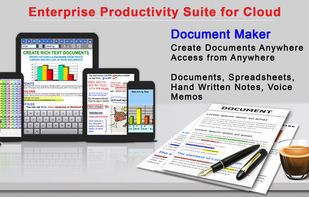
- Able to create and edit Rich Text Documents in HTML format
- Easily create and edit Spreadsheets
- Create PDF files from scanned documents.
- Simply create Hand-Written notes
- Create Drawings and Sketches
- Record Voice Memos
- Wirelessly transfer files to your PC and Mac
- USB file transfer functionality for PC and Mac
- Offline document editing
- Send you documents as an email attachment
- Word and Excel file viewer build in.
- View your PowerPoint, PDF, iWork, Text, .RTF, and more directly in the app.
- 3rd Party "Open In" support
- Download or create documents from anywhere.
- FAX Documents directly from your iPhone or iPad
DOCUMENT EDITOR:
- Edit, View and Create Rich Text Document with ease
- Use a wealth of fonts, font sizes and styles
- Support for standard formatting like bold, italic, underline and strike through are build into the editor.
- Change text and background color
- Text alignment options
- Insert pictures from your Photo Library
- Snap pictures with the camera and insert them directly into the document
- Includes bullet style formatting and styling
- Automatically add bullets and numbers
- Undo is build in
- Super simple copy and paste
PDF:
- Directly draw sketches into your PDF documents.
- Add hand-written notes, comments and highlights to your PDF documents.
- Fill out PDF Forms directly from your device and send them through email.
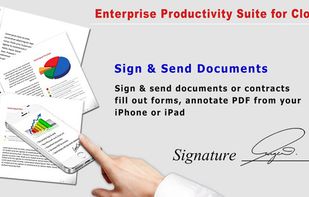
- Sign and Send Documents
- Convert documents from Microsoft Word, Power Point, Excel, Text and iWork documents into PDF documents.
SPREAD SHEETS :
- Simply create and edit Spreadsheets that are compatible with Microsoft Excel
- Style your documents with colors, fonts and sizing
- Copy, cut and paste multiple cells
DOCUMENT SCANNER :
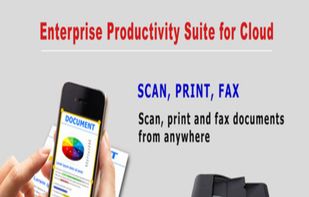
- Build into the app is a High quality document scanner
- Scanned documents can be converted to PDF
- Scanned images can be converted to PNG, JPG or PDF
