EinkBro icon
EinkBro icon

EinkBro

Simple, lightweight, fast, but powerful, and particularly tailored for Eink devices.
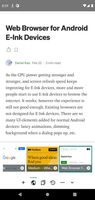
EinkBro screenshot 1
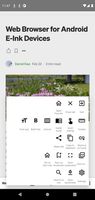
EinkBro screenshot 2
+5
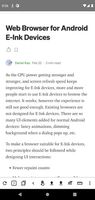
EinkBro screenshot 3

Cost / License

  • Free
  • Open Source

Application type

Platforms

  • Android
  • Android Tablet
  • F-Droid
  • OpenAPK
1like
0articles
Save

Features

Properties

  1.  Lightweight
  2.  Configurable

Features

  1.  Ad-free
  2.  Dark Mode
  3.  One-handed mode
  4.  Export to EPUB
  5.  Reading mode
  6.  Split-screen view
  7.  Export to PDF
  8.  Content blocker

EinkBro News & Activities

Highlights All activities

Recent activities

  • c17s5qhu updated EinkBro
  • c17s5qhu updated EinkBro
  • Álvaro Ayres liked EinkBro

EinkBro information

AlternativeTo Category

Web Browsers

GitHub repository

  •  2,025 Stars
  •  137 Forks
  •  13 Open Issues
  •   Updated  
View on GitHub
EinkBro was added to AlternativeTo by Paul on and this page was last updated .

No comments or reviews, maybe you want to be first?

What is EinkBro?

Simple, lightweight, fast, but powerful, and particularly tailored for Eink devices.

E-Ink specific features • pageUp/pageDown button on toolbar • pageUp/pageDown by tapping on left/right side of the screen • pageUp/pageDown by using volume keys • easily configure font size, and bold font • desktop mode feature • all icons are in high contrast colors • remove unnecessary animations • reader mode • vertical reading mode (Good for Chinese and Japanese content) • save web page as epub file

Basic UI/Handling: • dark mode • optimized for one hand handling (toolbar at bottom) • tab control (switch, open, close unlimited tabs) • fullscreen browsing (optional) • navigation button in fullscreen mode • fast toggle for most important settings • advanced gesture control for toolbar and navigation button

Some nice extra features: • search on site • incognito mode • open links in background • web search (from marked text context menu) • share/save as PDF • open links in other apps (for example YouTube)