


Dropped
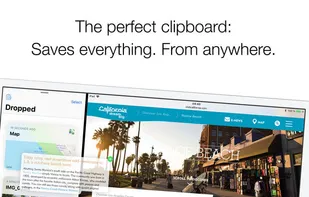
Are you looking for a quick way to store your texts, photos, videos, mails, files and URLs in one location...? Here's the solution: Dropped is your long-awaited clipboard for everything!
Cost / License
- Pay once
- Proprietary
 EU
EUPlatforms
- iPhone
- iPad

Features
Dropped News & Activities
Recent activities
Dropped information
Developed by
 2peaches GmbH
 Licensing
Proprietary and Commercial product.Pricing
One time purchase (perpetual license) that costs $3.Alternatives
3 alternatives listedSupported Languages
- English
- French
- German
- Italian
- Japanese
- Portuguese
- Russian
- Chinese
- Spanish


Featured in Lists

A list with 299 apps by christineconnor without a description.
What is Dropped?
Are you looking for a quick way to store your texts, photos, videos, mails, files and URLs in one location...? Here's the solution: Dropped is your long-awaited clipboard for everything!
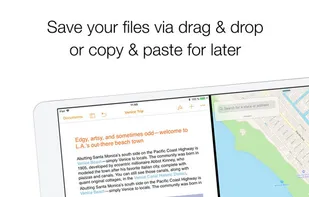
With Dropped you can save all objects for later by drag & drop. It works just as easy as the shelf in your living room or as you know it from a desktop.
Whether you use the clipboard in split-view or slide-over mode, it will fundamentally change the way you work with content – no matter how you use it!
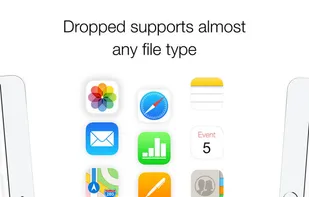
Dropped supports almost any file type:
- Photos & Images
- Videos
- Texts (formatted & plain)
- Mails
- Map locations
- Notes
- Numbers & Pages documents
- PDFs
- Contacts
- URLs
- Web Archives
- …
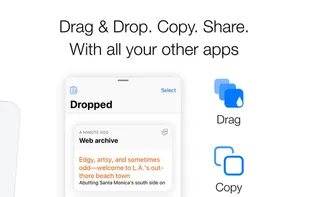
Simply drag and drop your files in the app and save them for later. The intelligent clipboard exactly remembers the state of the saved "Drops". When you copy them again or move them out via drag & drop later, all of file's information is restored.
The best part: Dropped combines the advantages of drag & drop with those of copy & paste. So you can use the app by drag & drop or copy & paste.
You can see a preview for quick access by each drop. You can also view all files directly and share them with other apps.
So, what are you waiting for? Get yourself the advantages of a real clipboard on your iPad!
