Run a full Linux desktop on any Android phone. Not a terminal. Not an emulator. A complete desktop environment with direct kernel access -- VS Code, Blender, Metasploit, local AI, all of it.
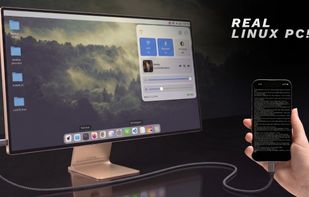
Connect your phone to a monitor and it becomes a Linux PC. Unplug it and your entire setup comes with you.
What This Actually Runs
Everything below has been tested and confirmed working:
LibreOffice -- Word processing, spreadsheets, presentations. Fully functional.
VS Code -- Full version. Python, PIP, extensions, everything.
Claude Code -- AI coding agent running directly in terminal.
Blender -- Installs and opens. Laggy on mobile hardware, but it runs.
Wireshark -- Full network analysis, every packet and protocol.
Metasploit -- Pentesting framework, runs fine.
Local AI -- Offline LLM inference, 5+ tokens/second, no API needed.
If it runs on Ubuntu, it runs here.
How It Works
The Linux environment runs through Termux with direct access to the phone's kernel. No emulation, no translation -- native performance.
The setup script installs a full desktop (XFCE4/LXQt/MATE/KDE) inside Termux using the Termux User Repository (TUR) for GUI apps. For tools not available in TUR (Wireshark, Metasploit, etc.), a Proot container provides a standard Ubuntu/Debian/Kali environment where you install anything with apt.
The automatic menu sync scans what you install inside Proot and adds it directly to your desktop app menu. No need to enter the container every time.
Requirements
Any Android phone (ARM64)
Termux (install from F-Droid, not Play Store)
Termux-X11 (for on-phone display)
For Monitor Output ( Optional )
Option A: USB-C Display Output If your phone supports display output over USB-C, just use a USB-C to HDMI adapter. Done.
Option B: Raspberry Pi Bridge For phones without display output (most mid-range phones with USB 2.0), use a Raspberry Pi Zero 2W as a bridge:
Raspberry Pi Zero 2W with Raspberry Pi OS
Micro USB to USB-C cable
USB-C hub
Micro HDMI to HDMI adapter
SD card with Pi firmware
Wireless keyboard and mouse
The Pi connects to the phone via USB tethering, detects the phone's IP automatically, and opens a VNC viewer to display the phone's desktop on the monitor.








No comments or reviews, maybe you want to be first?