DownloadMapImage icon

DownloadMapImage

DownloadMapImage lets you extract and download photos from Google Maps, including 360° Street View panoramas and regular place/business photos, without needing a Google account, an API key, or any registration. It's completely free and unlimited to use.

Enter a Google Maps URL

Cost / License

  • Free
  • Proprietary

Application type

Platforms

  • Online
  • Android
  • Google Chrome
  • Mozilla Firefox
  • Microsoft Edge
0likes
0comments
0articles

Features

  1.  Ad-free
  2.  Street View
  3.  No registration required
  4.  Image Downloader
  5.  Browser extension

DownloadMapImage News & Activities

Highlights All activities

Recent activities

DownloadMapImage information

  • Developed by

    VN flagNguyen Ba Vinh
  • Licensing

    Proprietary and Free product.
  • Alternatives

    4 alternatives listed
  • Supported Languages

    • English
DownloadMapImage was added to AlternativeTo by downloadmapimage on and this page was last updated .
No comments or reviews, maybe you want to be first?

What is DownloadMapImage?

DownloadMapImage lets you extract and download photos from Google Maps, including 360° Street View panoramas and regular place/business photos, without needing a Google account, an API key, or any registration. It's completely free and unlimited to use.
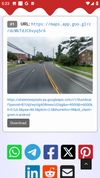
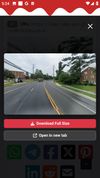
How to get an image:

On desktop:

  1. Open Google Maps and find the photo or Street View you want.
  2. Click the image to open it in full size — this step is important.
  3. Copy the URL from your browser's address bar.
  4. Paste the URL into the tool and click "Get Images".
  5. View and download the extracted photo from the results page.

On mobile:

  1. Open the Google Maps app and find the photo or 360° panorama you want.
  2. Tap the image to open it in full size.
  3. Tap the Share icon on the image and choose "Copy to clipboard".
  4. Paste the copied link into the tool.
  5. View and download the photo from the results page.

Key features:

  • Extracts images from multiple Google Maps URLs at once, one URL per line.
  • Automatically resolves mobile short links (maps.app.goo.gl) shared from the Google Maps app.
  • Handles both Street View 360° panoramas and place/business photos, auto-detecting the type.
  • 360° panoramas are reconstructed as full stitched equirectangular images instead of a single low-resolution tile, with GPano metadata embedded so they display correctly in dedicated 360° viewers.
  • Returns images in the highest resolution available.
  • Keeps a local, browser-based history of previously viewed images. URLs and images are not stored on the server.
  • Works on both desktop and mobile browsers, and as a native Android app that saves images straight to the phone gallery.
  • Browser extensions for Chrome, Firefox and Edge add a one-click "Get Image" button directly on Google Maps photos and Street View images.

Typical users include travelers, real estate agents, researchers, and anyone who needs a Google Maps image for offline use or documentation.