


DiskExplorer – Floppy disk image editor
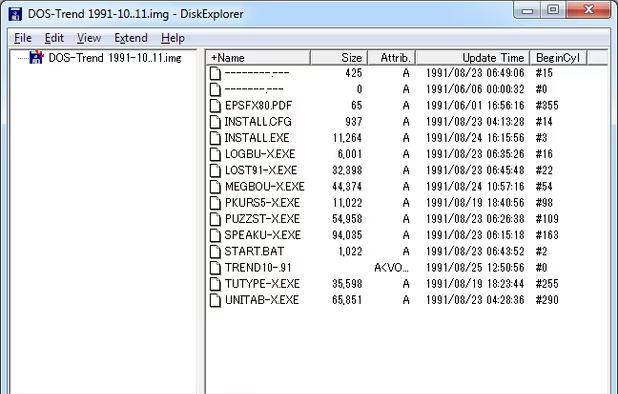
DiskExplorer is a tool with a graphical user interface that supports working with floppy disk (and some hard drive) images of various layouts and formats. Originally a Japanese-only application, an English version has been made available since 2001.
Cost / License
- Free
- Proprietary
Alerts
- Discontinued
Platforms
- Windows


The DiskExplorer never updated since 2010. See http://hp.vector.co.jp/authors/VA013937/editdisk/index_e.html

Features
DiskExplorer – Floppy disk image editor News & Activities
Recent activities
DiskExplorer – Floppy disk image editor information


What is DiskExplorer – Floppy disk image editor?
DiskExplorer is a tool with a graphical user interface that supports working with floppy disk (and some hard drive) images of various layouts and formats. Originally a Japanese-only application, an English version has been made available since 2001.
The application supports the opening, editing, and saving of floppy disk image files. Files can be injected into an image, files and directories can be created, renamed, and deleted, and files can also be extracted to the host file system. Various file systems as formatted by MS-DOS, Human68k and their clones are supported, and parameters can be detected automatically.
Physical disk drives can also be accessed, in order to extract image files from physical disks.