You bought the CD. Discs puts it on your phone.
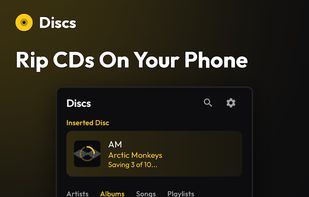
Plug a USB CD drive into your Android phone, tablet, or Chromebook, insert a disc, and save the album to your library: cover art, track names, everything. No computer needed.
Your music collection is not just a shelf decoration
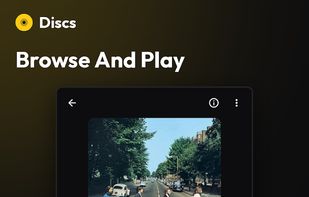
CDs sound great, but most of them end up on a shelf or in a box, because there's no convenient way to listen to them anymore. Discs gives you a music library on your phone, tablet, or Chromebook, built from the CDs you already own.
Sync to your devices
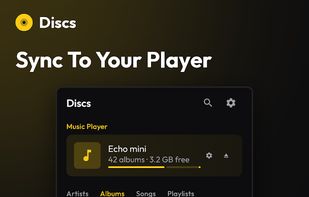
Move your music directly to your music player of choice. Connect a DAP, another phone, or a tablet, pick the albums you want, and copy them across. It works in both directions. Most players that mount as a USB drive (Mass Storage) or support file transfer (MTP) will work.
Beautiful on every screen
Phones, tablets, and Chromebooks. Discs adapts to the screen you're using, with a roomy side-by-side layout when there's space for it.
Perfect quality by default
Discs saves a perfect, exact copy of your CDs with FLAC lossless encoding. Multi-disc sets stay together as one album. Live recordings and DJ mixes play gapless, with no silence dropped between tracks. Unlike many streaming platforms, your music will sound exactly the same as it did on the disc. You can also choose high-quality AAC or MP3 compressed audio when saving discs, if you're short on space.
Rips you can trust
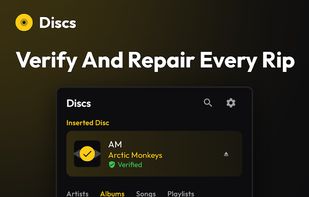
Every rip is checked against CTDB, a public database of known-good rips, so you know when your copy is verified bit-for-bit accurate. If a disc has small read errors from scratches or age, Discs can often repair them, giving you a clean copy even from a disc that has seen better days.
Play it on any speaker
You can cast your music to any Google Cast compatible device from your Android phone or tablet, including Cast-capable TVs, Google Home speakers, or Chromecast. Your library works in any room of your house.
Listen to CDs in the car
Your albums show up on your car's screen through Android Auto. Everything you've added to your library is right there, on your commute, or on a road trip.
No subscription. No algorithm.
You pick what you listen to. No monthly fee, no account, and your library plays without an internet connection. Nothing in your library changes unless you change it.
What you need:
- An Android phone, tablet, or Chromebook
- A USB CD drive
- Your CDs
NOTE: Some phones provide limited power over USB, which can cause drives to disconnect or create errors mid-rip. If you run into dropouts or failed rips, a USB-C adapter with power passthrough and a 15W+ charger typically fixes it.
You can try Discs with two free albums. After that, a one-time purchase unlocks unlimited CD ripping and media player sync for life.
Your music. Your library. No strings.










No comments or reviews, maybe you want to be first?