




Diplopia Simulator
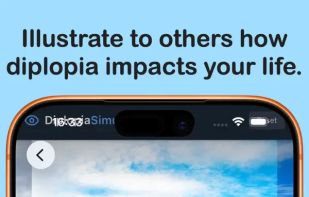
Step into the world of diplopia with the Diplopia Simulator. Explore the challenges of double vision and clearly show others what you see. Ideal for patient education, clinical use, and professional training, this tool provides a realistic, adjustable simulation of visual...

Cost / License
- Pay once
- Proprietary
 EU
EUPlatforms
- Mac
- iPhone
- iPad




Diplopia Simulator
Features
Tags
Diplopia Simulator News & Activities
Recent activities
- POX updated Diplopia Simulator
- WBD added Diplopia Simulator
Diplopia Simulator information
Developed by
 Wicher B Donga
 Licensing
Proprietary and Commercial product.Pricing
One time purchase (perpetual license) that costs $7.Alternatives
0 alternatives listedSupported Languages
- English
Apple AppStore
- Updated
- 0 avg rating
What is Diplopia Simulator?
Step into the world of diplopia with the Diplopia Simulator. Explore the challenges of double vision and clearly show others what you see. Ideal for patient education, clinical use, and professional training, this tool provides a realistic, adjustable simulation of visual misalignment. Available on iPhone, iPad, and Mac.
Every individual experiences diplopia differently. With the Diplopia Simulator, you can recreate your own visual misalignment by adjusting prism strength and orientation. Instead of a generic double vision effect, you can closely match your personal experience and share it with family, clinicians, students, or support groups.
Experience what it means to read a page of text when every letter is doubled, to walk through a crowded street where people and objects appear in two places at once, or to look at traffic lights and road signs when each one splits into overlapping images. The simulator’s dynamic motion and depth effects make these situations feel realistic, helping others understand why simple tasks can become exhausting or unsafe.
