



Did I Reply?
Like
A lightweight Gmail extension that helps you set follow-up reminders and save reusable email templates. Stay organized, avoid missed replies, and save time writing repetitive emails.
Cost / License
- Freemium (Subscription)
- Proprietary
Platforms
- Google Chrome

Features
- Auto Follow up Mail
- Email reminder
- Gmail
Tags
Did I Reply? News & Activities
Highlights All activities
Recent activities
- ahmedyasseir added Did I Reply?
- POX updated Did I Reply?
 ahmedyasseir added Did I Reply? as alternative to Gmelius, Mixmax, Followup.cc and Boomerang Mail
Did I Reply? information
Developed by
 Ahmed Hamed
 Licensing
Proprietary and Freemium product.Pricing
Subscription that costs $5 per month + free version with limited functionality.Alternatives
5 alternatives listedSupported Languages
- English


No comments or reviews, maybe you want to be first?
What is Did I Reply??
Set Gmail follow-up reminders and insert reusable email templates — stay organized and save time.
Never lose track of important emails again. Did I Reply? makes Gmail smarter with built-in tools that help you stay on top of conversations and save time writing emails.
Features:
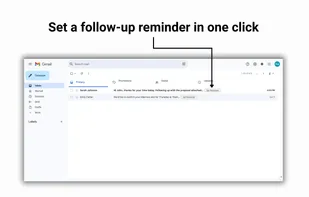
- Email Reminders – Set quick follow-ups for any email thread so you never forget to reply.
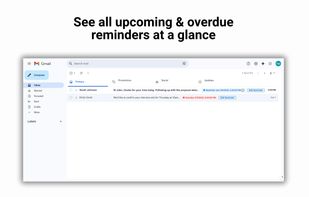
- At-a-Glance Tracking – See how many follow-ups you’ve scheduled directly inside Gmail.
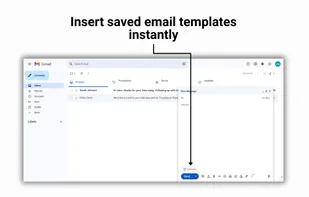
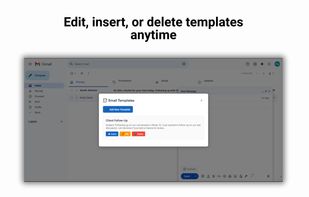
- Reusable Templates – Save and insert your favorite email replies in one click. Perfect for sales, recruiting, and freelancers.
- Fast & Simple – Works right inside Gmail, no accounts or extra logins needed.
- Private by Design – Your data stays in your browser.
How it works: 1- Install the extension 2- Open Gmail 3- Set reminders and save templates directly while you work Stay organized, reply faster, and make Gmail work for you.