DevOps Buddy is a control plane for servers you own. You connect your own cloud account — AWS, Google Cloud, DigitalOcean or Vultr — and it provisions the VM there, or you install a small agent on a Linux machine you already run. The infrastructure is billed to you by your provider at their price; there is no markup on compute.
Deploy from a Git repository (public or private) with no Dockerfile required, paste a docker-compose file, or pick a ready-made application such as WordPress, Drupal, Joomla, Nextcloud or Magento, installed with its database and HTTPS already wired up.
Two kinds of server are supported. A container server runs every app in Docker behind Traefik, with certificates issued and renewed automatically. A classic server is a clean Ubuntu box where nginx, the PHP version you choose and MariaDB, MySQL or PostgreSQL are installed when your first site needs them — no Docker involved, and you keep full root access.
The agent only makes outbound HTTPS connections. Nothing listens on your server, no SSH key of ours is installed, and no management port has to be opened.
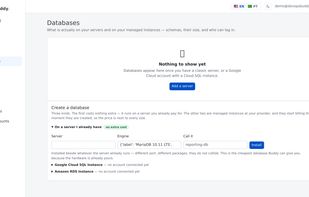
Also included: DNS and free TLS certificates through your Cloudflare account, backups to a bucket in your own cloud storage over pre-signed URLs, managed databases (Cloud SQL and Amazon RDS) administered from the panel, a firewall page covering the host and containers alike, scheduled jobs, background workers, per-person SSH logins, and per-server and per-app metrics.
If DevOps Buddy is unreachable, your applications keep serving — they run on your machines behind their own reverse proxy, and the control plane is only needed to make changes. Stop using it and everything continues to run exactly as it is.




 Idev Solucoes


No comments or reviews, maybe you want to be first?