





DeskSentry
Like
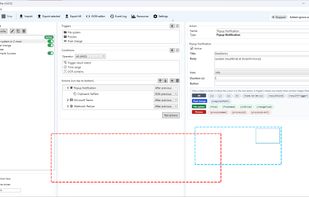
Windows automation rules combine screen monitoring, local OCR, file, clipboard, process, log, hotkey and clock triggers with conditions for text, time and bitmap matches. Actions can launch programs, send messages or webhooks, alter data, record events and control power.

Cost / License
- Freemium (Pay once)
- Proprietary
Platforms
- Windows


Features
Highlights All activities
DeskSentry News & Activities
Recent activities
- Danilo Venom updated DeskSentry
- Boris Sundic added DeskSentry
- Boris Sundic updated DeskSentry
 Boris Sundic added DeskSentry as alternative to Microsoft Power Automate, AutoIt, AutoHotkey, SikuliX and 17 more

Developed by
 Boris Sundic
 Licensing
Proprietary and Freemium product.Pricing
One time purchase (perpetual license) ranging between $49 and $399 + free version with limited functionality.Alternatives
21 alternatives listedBadge
Get an embeddable badge for DeskSentrySupported Languages



No comments or reviews, maybe you want to be first?