DeskJoin Control is a free keyboard and mouse sharing app for nearby Windows and Mac computers. It is designed for people who use multiple computers side by side and want to switch between them without constantly changing keyboards or mice.
Each computer keeps its own screen, applications, and desktop. Move the pointer through a configured screen edge to operate the neighboring computer, then move it back to return.
Input sharing works in both directions. Computers are not permanently assigned as the keyboard-and-mouse source or receiver, so you can use the input devices on either computer to control the other.
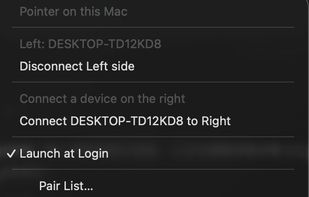
Install DeskJoin Control on each computer, connect them to the same trusted local network, and confirm the matching six-digit pairing code. Configure nearby computers on the left or right to match your desk layout.
Key features:
- Keyboard and mouse sharing across Windows and macOS
- Bidirectional input sharing
- Screen-edge switching
- Nearby-device discovery
- Remembered connections and automatic reconnection
- Support for keyboard input, mouse buttons, pointer movement, and scrolling
DeskJoin Control shares input, not video. It does not turn another computer into a second monitor or stream a remote desktop.
Connection setup, keyboard input, mouse buttons, and control messages are protected with mutual TLS 1.2. Pointer movement and scrolling use session-bound UDP that is validated but not encrypted. Use the app only on a trusted local network.
Free for Windows 10 or later on x64 PCs and macOS 11 or later on Apple silicon Macs.






 Neville-Gee added DeskJoin Control as alternative to Synergy, Input Leap, Barrier, Multiplicity and 6 more
 DeskJoin Inc.

No comments or reviews, maybe you want to be first?