

Derustify
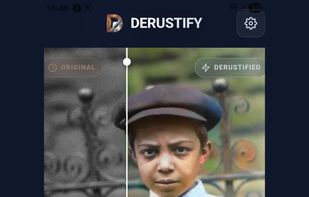
Derustify is a free to use AI photo restore Android and Windows application that runs locally on device, with options for a one time upgrade for pro features.
Cost / License
- Freemium (Pay once)
- Proprietary
Application type
Platforms
- Windows
- Android
Features
Properties
- Privacy focused
Features
- Dark Mode
- No Tracking
- Non Destructive Editing
- Batch Editing
- No registration required
- Works Offline
- Custom Brushes
- Ad-free
- Hardware Accelerated
- RAW Photo Editors
- AI-Powered
Derustify News & Activities
Recent activities
- derustify added Derustify
derustify added Derustify as alternative to Remini, Upscayl, Topaz Bloom and Upscale.media
Derustify information
What is Derustify?
Derustify is a professional-grade photo restoration toolkit built to run locally, with all required system components for AI processing included at app install. Whether you're digitizing a family archive or repairing a single damaged portrait, Derustify gives you high-end AI processing power directly on your device—without the privacy concerns or ongoing costs of cloud-based web apps. Use for free or unlock pro features for a one-time, small fee.
FEATURES: • Lifelike AI Colorization: Transform faded black-and-white photos into vibrant, living images. • Ultra-Sharp Face Restoration: Advanced facial algorithms recover lost details, turning blurry, out-of-focus subjects into crystal clear portraits. • Heal Scratches & Folds: Seamlessly inpaint creases, tears, and dust from scanned prints while meticulously preserving the natural film grain. • AI Object Removal: Erase unwanted elements and distractions from your photos exactly the way you want. • High-Fidelity Upscaling & Denoising: Upscale tiny, low-resolution photos into massive, sharp exports. • Advanced Manual Editing (Spectral Weaver Pro): Fine tune structure, grain, sharpness, clone stamping, and micro detail recovery with professional precision. • Batch Processing: Have hundreds of photos to fix? Don't do them one by one. Drag and drop entire folders at once and let your PC do the heavy lifting in the background. • Broad Format Support: Easily import physical scans, smartphone captures, and all standard image formats including JPEG, PNG, and WebP. Export your restored images as high-quality JPEGs for sharing or lossless PNGs.



