





Demo Maker Pro
Like
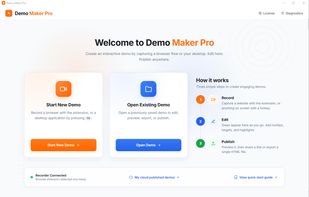
Capture web apps and Windows applications to create interactive click-through demos. Export self-contained HTML files or publish and share by link.

Cost / License
- Subscription
- Proprietary
Application type
Platforms
- Windows
- Microsoft Edge
- Google Chrome


Features
Demo Maker Pro News & Activities
Highlights All activities
Recent activities
- demomakerpro updated Demo Maker Pro
- demomakerpro added Demo Maker Pro
 demomakerpro added Demo Maker Pro as alternative to Supademo, Walnut, Layerpath, Mirage: Interactive Product demos and 3 more

Demo Maker Pro information
Developed by
 qwerty2 LLC
 Licensing
Proprietary and Commercial product.Pricing
Subscription ranging between $1490 and $4500 per year.Alternatives
7 alternatives listedBadge
Get an embeddable badge for Demo Maker ProSupported Languages


No comments or reviews, maybe you want to be first?