

DateDrop
Like
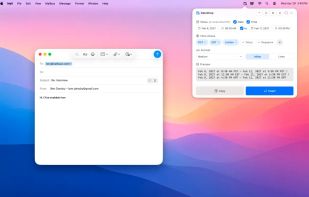
DateDrop is a lightweight menu bar app that puts a formatted date or time on your clipboard, or types it directly into any app, with a single keystroke.
Cost / License
- Free
- Proprietary
Platforms
- Mac


DateDrop
Like
Features
Properties
- Lightweight
- Privacy focused
Features
- Works Offline
- No registration required
- Ad-free
- No Tracking
- Dark Mode
- Date picker
- Date format customisation
- Support for Hotkeys
- Support for Keyboard Shortcuts
- Global hotkey
- Sits in the MenuBar
DateDrop News & Activities
Highlights All activities
Recent activities
DateDrop information
No comments or reviews, maybe you want to be first?
What is DateDrop?
DateDrop is a lightweight menu bar app that puts a formatted date or time on your clipboard, or types it directly into any app, with a single keystroke.
Set your date, pick a format, and hit Insert. DateDrop disappears and the text lands exactly where your cursor is. No menus to dig through, no typing, no reformatting later.
Features
- Global hotkey launches DateDrop instantly from anywhere (default: Control+Shift+Command+D)
- Insert or copy dates, times, or both in any format
- Date ranges with a single toggle
- Multiple time zones shown side by side
- Custom format strings for full control
- Floating panel that stays out of your way
