
DarQ Reborn icon
DarQ Reborn icon

DarQ Reborn

Selectable per-app Force Dark theme enabler for Android 10+ using Shizuku or Root. Features an LSPosed/Xposed module to bypass app-level dark mode blocks, automated sunrise/sunset scheduling, and automation broadcasts (Tasker/MacroDroid).
DarQ Reborn screenshot 1

Cost / License

Platforms

  • Android  Android 10+
0likes
0comments
0articles

Features

DarQ Reborn News & Activities

Highlights All activities

Recent activities

DarQ Reborn information

  • Developed by

    IN flagMohit Arora
  • Licensing

    Open Source (Apache-2.0) and Free product.
  • Alternatives

    1 alternatives listed
  • Supported Languages

    • English

GitHub repository

  •  82 Stars
  •  1 Forks
  •  1 Open Issues
  •   Updated  
View on GitHub

Popular alternatives

View all
DarQ Reborn was added to AlternativeTo by Emin on and this page was last updated .
No comments or reviews, maybe you want to be first?

What is DarQ Reborn?

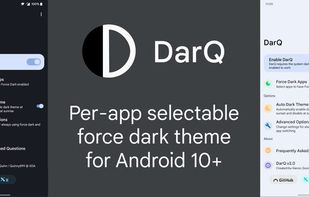
DarQ provides a per-app selectable force dark option for Android 10 and above.

Auto Dark Theme & Scheduling DarQ provides automated dark theme scheduling to protect your eyes when needed:

Schedule Modes: Sunset to Sunrise: Automatically switches dark theme at sunset and sunrise using location calculations or optional GPS positioning. Custom Time Schedule: Set custom start (Dark Mode ON) and end (Dark Mode OFF) times according to your routine. Follow System Theme: Mirrors your phone's own Dark Theme setting live, no clock schedule of its own. Reacts within moments whenever you (or another app, or an Android schedule like Bedtime/Sunset-to-sunrise) change the system theme. Requires Persistent Service, which is enabled automatically when you select this mode.

Schedule Targets: System & DarQ Dark Mode: Toggles Android System Dark Mode and DarQ Per-App Force Dark simultaneously. Currently open apps switch instantly when the boundary crosses because Android OS broadcasts system-wide uiMode configuration changes. DarQ Force Dark Only: Toggles per-app force dark without altering system dark mode. The updated rendering mode applies when target apps are next launched or reopened (this prevents DarQ from force-closing active apps or interrupting unsaved work in open sessions).

Official Links
