
ctrl-f ULTRA
4 likes
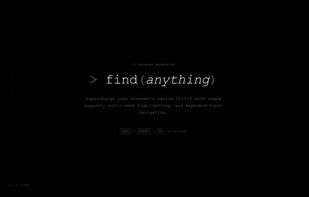
Enhances browser find with regex, multi-term and color-coded highlights, in-browser and PDF search, cross-tab scanning, saved queries, accessible color options, full keyboard navigation, minimap for matches, and fully local private operation—account-free.
Cost / License
- Free
- Proprietary
Platforms
- Microsoft Edge
- Google Chrome
- Mozilla Firefox
- Online
Features
Properties
- Privacy focused
Features
- No registration required
- Full-Text Search
- Ad-free
- Dark Mode
- Built-in viewer
- No Tracking
- Works Offline
- Support for regular expressions
- Browser extension
- Highlighter
- Microsoft Edge extension
ctrl-f ULTRA News & Activities
Highlights All activities
Recent activities
- Danilo_Venom updated ctrl-f ULTRA
- ctrlfultra added ctrl-f ULTRA
ctrlfultra added ctrl-f ULTRA as alternative to Multi Find and FindBar Tweak
ctrl-f ULTRA information
No comments or reviews, maybe you want to be first?
What is ctrl-f ULTRA?
ctrl-f ULTRA upgrades the browser's built-in find so you can search the way you actually work: several terms at once, real regex when you need it, and highlights you can read at a glance. Open it with your usual shortcut (Ctrl+F / Cmd+F), stay on the keyboard to move between matches, and keep your favorite queries handy. Matching runs locally in your browser — no account, no separate service to sign in to.
What you get:
- Multi-term highlights — search multiple terms in one go, each with its own highlight color. Set custom colors per term and save them with a query for later.
- Regex — full regular-expression search when you turn on regex mode, for patterns like emails, IDs, or custom formats.
- Plain-text options — case-sensitive search and whole-word matching when you're not using regex, so you can tighten matches without writing a pattern.
- PDFs — open in-browser PDFs in the bundled viewer and use the same find bar, regex, and highlights as on normal pages.
- Multi-tab search (optional) — run one query across every tab in the current window when you need to scan a whole session.
- Saved queries — store searches you reuse often and recall them in one click.
- Accessible colors — color-vision presets (deuteranopia, protanopia, tritanopia) keep generated highlight colors easy to tell apart, with per-term overrides available anytime.
- Keyboard-first — cycle matches from the bar with Enter/Shift+Enter, or use extension shortcuts for next/previous match anywhere on the page.
- Minimap — tick marks on the right edge show where every match sits on the page, so you can see what's above and below before scrolling.


