


CrossMacro
2 likes
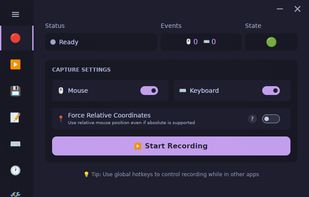
Cross-platform desktop automation app with macro recording, playback, scheduling, text expansion, CLI tools, and Wayland/X11-aware Linux support.

Cost / License
- Free
- Open Source (GPL-3.0)
Application typeApplication types
Platforms
- Windows
- Linux
- Mac


Features
Highlights All activities
CrossMacro News & Activities
Recent activities
 Graziella added CrossMacro as alternative to RMT (RuoMengTu)
- zynix added CrossMacro as alternative to wtype
 BHARATH-CHANDRA-VADDARAM added CrossMacro as alternative to DevType
 Solda added CrossMacro as alternative to Loopnator
 zynix added CrossMacro as alternative to cliclick
- zynix updated CrossMacro
 zynix added CrossMacro as alternative to ydotool, AutoHotkey and SikuliX
- zynix liked CrossMacro
 Paul added CrossMacro as alternative to TypeAssist


Developed by
alper-hanLicensing
Open Source (GPL-3.0) and Free product.Written in
Alternatives
22 alternatives listedBadge
Get an embeddable badge for CrossMacroSupported Languages

AlternativeTo Categories
Office & Productivity, OS & UtilitiesGitHub repository
- 425 Stars
- 20 Forks
- 6 Open Issues
- Updated



No comments or reviews, maybe you want to be first?