




Cross Paste: Clipboard Sync
Like
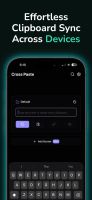
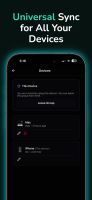
Transfer manually entered or pasted text between iPhone, iPad, Android, Mac, Windows, Linux, and web. Pair devices with a QR code or six-digit code, recover access with a 16-character key, and relay AES-256-GCM-encrypted clips through a server.


+1


Cost / License
- Freemium (Subscription)
- Proprietary
Platforms
- Mac
- Windows
- Linux
- Online
- Android
- iPhone
- Android Tablet
- iPad

Features
Highlights All activities
Cross Paste: Clipboard Sync News & Activities
Recent activities
- Mobile-Tech-Media-LLC added Cross Paste: Clipboard Sync
- Fla updated Cross Paste: Clipboard Sync
 Fla added Cross Paste: Clipboard Sync as alternative to ClipSync: Universal Clipboard, CopyCat Clipboard, Ditto, UniClipboard and 1 more
- Fla updated Cross Paste: Clipboard Sync
 Mobile-Tech-Media-LLC added Cross Paste: Clipboard Sync as alternative to Cross Paste, Pushbullet, Clipbrd and Send to myself


Developed by
 Mobile Tech Media, LLC
 Licensing
Proprietary and Freemium product.Pricing
Subscription that costs $20 per year + free version with limited functionality.Alternatives
9 alternatives listedBadge
Get an embeddable badge for Cross Paste: Clipboard SyncSupported Languages




No comments or reviews, maybe you want to be first?