CPU-Z Alternatives

CPU-Z is described as 'Freeware system profiler for Windows and Android displays in-depth CPU, RAM, and chipset info, working ad-free, offline, and consumes fewer resources' and is a leading system information utility in the os & utilities category. There are more than 50 alternatives to CPU-Z for a variety of platforms, including Windows, Android, Linux, Mac and Flathub apps. The best CPU-Z alternative is HWiNFO (32/64). It's not free, so if you're looking for a free alternative, you could try HWiNFO (32/64) or Speccy. Other great apps like CPU-Z are Libre Hardware Monitor, AIDA64, Mission Center and Sidebar Diagnostics.

filter to find the best alternatives

CPU-Z alternatives are mainly System Information Utilities, but if you're looking for Benchmark Tools or Process Monitoring Tools you can filter on that. Other popular filters include Mac, Linux, Android, Open Source, iPhone, Mac + Benchmark and Mac + System Information. These are just examples - use the filter bar below to find more specific alternatives to CPU-Z.
Copy a direct link to this comment to your clipboard
CPU-Z alternatives page was last updated

Alternatives list

  1. Copy a direct link to this comment to your clipboard

    Droid Info is a hardware specification app for Android with detailed information about your smartphone including device, system, memory, camera, battery and sensor details. You can also export full report of your Smartphone.

    Cost / License

    • Free
    • Proprietary

    Platforms

    • Android
     
  2. Copy a direct link to this comment to your clipboard

    Glow is a powerful system analysis tool created by Eray Türkay, designed to provide an intuitive overview of both the hardware and software capabilities of your computer.

    Cost / License

    • Free
    • Open Source

    Platforms

    • Windows
     
  3. Monitorets icon
     1 like
    Copy a direct link to this comment to your clipboard

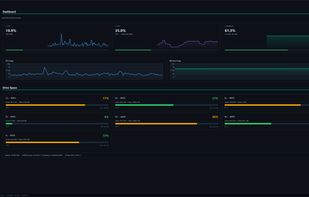
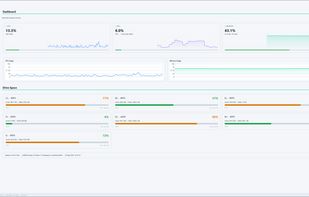
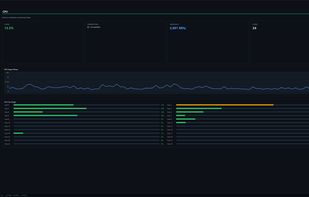
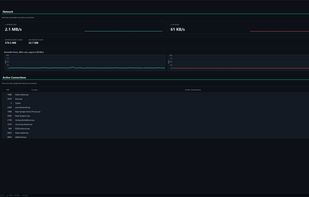
    Monitorets is a small utility application offering a simple and quick view at the usage of several of your computer resources. Almost like an applet or a widget for your Linux desktop.

    Cost / License

    • Free
    • Open Source

    Platforms

    • Linux
    • Flathub
    • Flatpak
     
  4. Copy a direct link to this comment to your clipboard

    Ashampoo HDD Control 2 provides complete monitoring of your hard drive(s). The software supports not only all common IDE and serial ATA hard drive(s), but also provides improved support for external USB hard drives and solid state drives (SSDs).

    Cost / License

    • Paid
    • Proprietary

    Platforms

    • Windows
     
  5. Systempal icon
     1 like
    Copy a direct link to this comment to your clipboard

    SystemPal is becoming an ALL-IN-ONE app. It is the best tool to monitor your memory/CPU usage status, CPU temperature and fan speed, network speed. It also provides a tool kit including mini music player, screen shot utility, memory cleaner.

    49 Systempal alternatives

    Cost / License

    • Paid
    • Proprietary

    Platforms

    • Mac
     
  6. Copy a direct link to this comment to your clipboard

    Hardware and software information app for Android devices.

    Cost / License

    • Freemium (Pay once)
    • Proprietary

    Platforms

    • Android
     
  7. Udev Discover icon
     4 likes
    Copy a direct link to this comment to your clipboard

    A helping tool for udev testers, coders, hackers and consumers. Main features are - Browsing the sysfs tree via udev, Reports udev device info and udev properties, Filter and search devices, Monitorize udev device events.

    Cost / License

    • Free
    • Open Source

    Platforms

    • Linux
     
  8. gatotray icon
     4 likes
    Copy a direct link to this comment to your clipboard

    gatotray is a tiny CPU monitor displaying several stats graphically (usage, temperature, frequency) in small space, and tight on resources.

    Cost / License

    • Free
    • Open Source

    Platforms

    • Linux
     
  9. Copy a direct link to this comment to your clipboard

    How do you get the PC features quickly? You may surely use special tab or panel, but the data will be located in different places. Smart System Informer will make it for you swiftly! Specific information includes computer ID, processor, BIOS, memory, disks, video, motherboard...

    Cost / License

    • Free
    • Proprietary

    Platforms

    • Windows
     
  10. Copy a direct link to this comment to your clipboard

    Flitskikker InfoTool offers you essential information about your system. Afterwards, you can save it as a text file, or BB Code to share on forums. Most people can help you better if you share your system information with them. Now you can do this easily with this free utility.

    Cost / License

    • Free
    • Proprietary

    Platforms

    • Windows
     
  11. Pitikapp icon
     1 like
    Copy a direct link to this comment to your clipboard

    Pitikapp provides highly customizable modules to monitor your computer and to interact with it.

    Cost / License

    • Free
    • Proprietary

    Platforms

    • Windows
    • Android
    • iPhone
    • iPad
     
You are at page 6 of CPU-Z alternatives