-
Classic CorelDRAW Interface & Workflow:
-
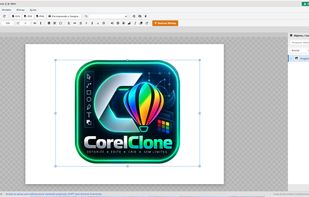
5-zone standard layout: Menu Bar, Standard Toolbar, Dynamic Property Bar, Interactive Toolbox, and Rulers/Canvas.
-
Familiar keyboard shortcuts (Ctrl+Z, Ctrl+Y, Ctrl+D, Ctrl+G, Ctrl+Q, F11, F12, P, Esc).
-
Instant single-key alignment shortcuts (C for horizontal center, E for vertical center, P for page center, L, R, T, B).
-
PowerTRACE™ (Instant Bitmap Vectorizer):
-
Convert any PNG, JPG, or WEBP image into clean, scalable Bézier vector curves directly in the browser or desktop app.
-
Presets for Logos & Clipart, Black & White Line Art, Detailed Logos, and High-Fidelity illustrations.
-
Integrated background color removal, curve smoothing sliders, and auto-grouping.
-
Print & Prepress Production Ready:
-
Native Bleed settings (0mm, 3mm standard offset, 5mm large format).
-
Automatic guillotine crop marks, CMYK registration targets, calibration color bars, and job timestamp info.
-
Export to print-ready Vector PDF, clean SVG, or 300 DPI high-res PNG.
-
Graphic Design & Signmaking Tools:
-
Contour Tool: Generate sticker cut borders and plotter knife paths with customizable offset (mm) and sharp/round corner logic.
-
Fountain Fill (F11): Interactive linear and radial gradient engine with classic Corel presets (Real Gold, Silver, Sunset, Royal Blue, Emerald).
-
PowerClip™ Container: Mask, clip, and place any bitmap or vector group inside arbitrary shapes with 1-click extract.
-
Text on Path: Bind live typography to circles, ellipses, and freeform Bézier curves with interactive offset controls.
-
Vector QR Code Generator: Insert scalable SVG QR codes (URL, WhatsApp, PIX, Wi-Fi) with custom ECC levels and transparent backgrounds.
-
Bilingual & Multiplatform:
-
Full interface in both Portuguese and English (PT / EN toggle with instant state persistence).
-
Runs as a zero-install WebApp / PWA or as an installable native desktop app for Windows (.exe), macOS (.dmg), and Linux (.AppImage).






 4U.IA.BR
No comments or reviews, maybe you want to be first?