




Copyr
1 like
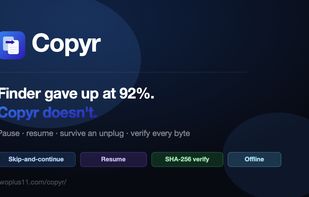
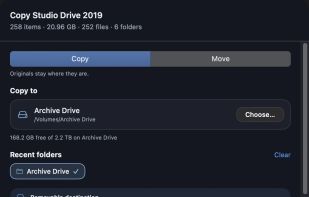
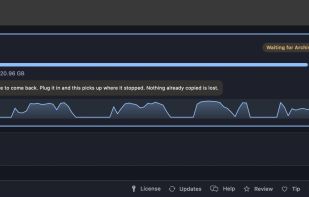
Queues transfers and resumes them mid-file after pauses, quits or disconnected drives. It skips unreadable items rather than aborting, can verify copied bytes with SHA-256, and provides preflight checks plus end-of-job failure reports in text or CSV format.

Cost / License
- Free Personal
- Proprietary
Platforms
- Mac


Add Alternatives

1like
0alternatives
0articles
Features

Highlights All activities
Copyr News & Activities
Recent activities
- twoplus11 liked Copyr
- Paul updated Copyr
This is my app. I just wanted to say that the free version is NOT limited in any way. The paid license is for commercial use, it does not unlock features.
- twoplus11 thinks Drag and Drop is a important feature of Copyr
- twoplus11 thinks Support for Keyboard Shortcuts is a important feature of Copyr
- twoplus11 thinks Checksums verification is a important feature of Copyr
- twoplus11 thinks Apple Finder Integration is a important feature of Copyr
- twoplus11 thinks Apple Silicon support is a important feature of Copyr
- twoplus11 thinks Works Offline is a important feature of Copyr
- twoplus11 thinks No registration required is a important feature of Copyr
Developed by
 twoplus11 LLC
 Licensing
Proprietary and Free Personal product.Pricing
One time purchase (perpetual license) that costs $5.Alternatives
0 alternatives listedBadge
Get an embeddable badge for CopyrSupported Languages
Comments and Reviews
This is my app. I just wanted to say that the free version is NOT limited in any way. The paid license is for commercial use, it does not unlock features.