Copper icon
Copper icon

Copper

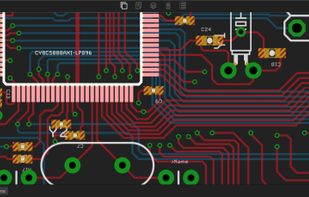
Copper is able to open any Eagle CAD file saved in the XML file format (Version 6 and above). Copper stores its own settings in another file stored along the .brd and .sch files generated by Eagle and syncs any changes made in Eagle.
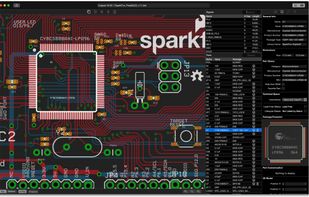
Main window

Cost / License

  • Paid
  • Proprietary

Platforms

  • Mac
Canvas
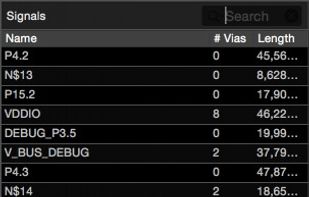
Parts/Signals browser
0likes
0comments
0alternatives
0articles

Features

No features, maybe you want to suggest one?

Copper News & Activities

Highlights All activities

Recent activities

No activities found.

Copper information

  • Developed by

    Appfruits
  • Licensing

    Proprietary and Commercial product.
  • Alternatives

    0 alternatives listed
  • Supported Languages

    • English
Copper was added to AlternativeTo by truefoo on and this page was last updated .
No comments or reviews, maybe you want to be first?

What is Copper?

Copper is able to open any Eagle CAD file saved in the XML file format (Version 6 and above). Copper stores its own settings in another file stored along the .brd and .sch files generated by Eagle and syncs any changes made in Eagle.

Now you can:

Generate 3D Models of your PCB with ease and fun Attach real parts from your favorite Distributor using Built-In Part Search Engine powered by Octopart.com Manage your Bill of Materials and check Pricing & Availability of all Parts Manage Datasheets of all your Parts at one place (including bookmarks) Generate high resolution, awesome 2D images of your board Generate images of your 3D PCB with lights, textures, depth of field effects and various solder masks Export the 3D model to your Mechanical CAD software for building enclosures. Analyze your PCB for errors using Coppers real time tools Highlight multiple parts by name or value for Assistance while assembling your PCB Check Signals for connected parts, length, number of vias Find errors beyond DRC that are hard to find

Official Links