Connect Google Drive to All Cloud Hub icon

Connect Google Drive to All Cloud Hub

Connect Google Drive to All Cloud Hub and manage files across multiple cloud storage services from one unified dashboard.
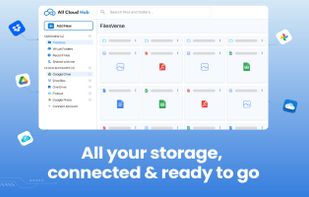
All your storage, connected & ready to go

Cost / License

  • Free
  • Proprietary

Platforms

  • Google Chrome
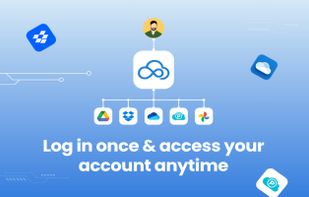
Login Once & access your account anytime
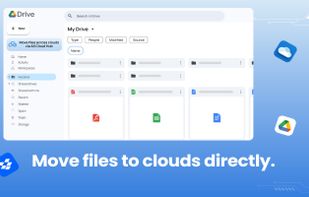
Moves files to clouds directly.
+2
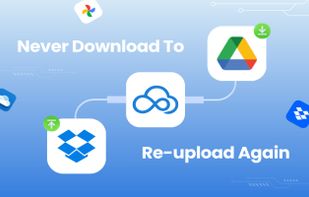
Naver Download to reupload again
0likes
0comments
0alternatives
0articles

Features

No features, maybe you want to suggest one?

Connect Google Drive to All Cloud Hub News & Activities

Highlights All activities

Recent activities

Connect Google Drive to All Cloud Hub information

  • Licensing

    Proprietary and Free product.
  • Alternatives

    0 alternatives listed
  • Supported Languages

    • English
Connect Google Drive to All Cloud Hub was added to AlternativeTo by All Cloud Hub on and this page was last updated .
No comments or reviews, maybe you want to be first?

What is Connect Google Drive to All Cloud Hub?

Connect Google Drive to All Cloud Hub and manage files across multiple cloud storage services from one unified dashboard.

This extension helps you quickly link your Google Drive account with All Cloud Hub so you can access and organize files more efficiently across platforms like OneDrive, Dropbox, pCloud, and Google Photos.

Once connected, you can transfer files directly between cloud accounts without downloading them to your device or constantly switching between apps and browser tabs.

All Cloud Hub acts as a central control layer for your cloud storage. Your files remain securely stored in their original cloud accounts while you gain a simpler way to browse, search, and move data between services.

What You Can Do

? Connect Google Drive to All Cloud Hub instantly ? Transfer files between different cloud platforms ? Access multiple cloud accounts from one dashboard ? Skip manual downloads and uploads

Key Benefits

? Fast and secure Google Drive integration ? Direct cloud-to-cloud transfers ? No local storage required ? Files stay inside your own cloud accounts ? Easier multi-cloud file management