ColorPicker by canerozdemircgi is described as 'ColorPicker is a professional color creator and picker which has advanced features for artists and designers. It is written with C++ and Qt for the best performance and flexibility' and is a Color Picker tool in the photos & graphics category. There are more than 50 alternatives to ColorPicker by canerozdemircgi for a variety of platforms, including Windows, Mac, Web-based, Linux and iPhone apps. The best ColorPicker by canerozdemircgi alternative is Realtime Colors, which is free. Other great apps like ColorPicker by canerozdemircgi are gpick, Just Color Picker, Instant Eyedropper and Sip.


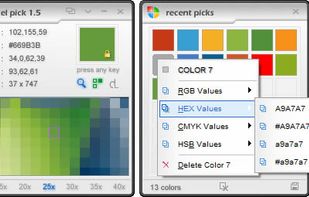
Ever tried using a color picker on a high resolution monitor? Its impossible. Thats why this color picker has a magnifier attached. Grab palettes of up to 16 colors at once and use four advanced color mixers to select a spectrum of possibilities.

With the pipette you are able to edit, convert and pick up colors from your screen. Pipette also supports a lot of standards or color models (RGB, CMY, CMYK, HSV, TColor and XYZ0). Color models are nothing but theoretical descriptions of colors using certain numeric values.


With Instant Color Picker (ICP), you can quickly pick colors from screen and store them.


PaletteGenius is a screen color picker tool designed to improve efficiency for designers and developers.


Chroma is a browser-based color picker that focuses on color selection. It was built using React Color.


Chroma is the most popular Self-Hosted alternative to ColorPicker by canerozdemircgi.
DigitalColor Meter is a utility built into Mac OS X for measuring and displaying the colour values of pixels displayed on the screen.

colortypist is a very simple Windows program that allows you to type in a color code and see that Color fill your entire screen, in real-time, while you type.

A cross-platform color picker. Select any color from screen, manage palettes, convert colors, etc.


Program to get colors from your screen with the build in magnifier. Zoom 1 to 10. Modify colors with the RGB or HSV slide bars. Copy the color to the clipboard as Hex, Decimal, RGB or HSV value. Direct changing the RGB and HSV values.


Get the right colors for your webpage. Make the users feel comfortable surfing your website.