





ClipSparkSoft
Like
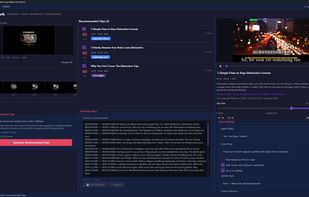
Windows desktop AI clipper that turns long videos into short, publish-ready clips. Transcription and export run on your PC—videos are not uploaded. Google sign-in for account only.

Platforms
- Windows

Features
Highlights All activities
ClipSparkSoft News & Activities
Recent activities
- ClipSparkSoft added ClipSparkSoft
- ClipSparkSoft updated ClipSparkSoft
 ClipSparkSoft added ClipSparkSoft as alternative to Opus Clip, Klap, Pictory, Qlip and 11 more


Developed by
 ClipSparkSoft
Licensing
Proprietary and Freemium product.Pricing
Subscription that costs $10 per month + free version with limited functionality.Alternatives
15 alternatives listedBadge
Get an embeddable badge for ClipSparkSoftSupported Languages


No comments or reviews, maybe you want to be first?