What is Clipboard Manager?
A lightweight, high-performance clipboard manager for Windows built with Electron.js. It focuses on solving the "25-item limit" of Windows + V without the clutter and outdated interface of legacy tools like Ditto. It’s designed to be a fast, local utility that organizes your data as you copy it.
Where it’s better than the defaults:
- Reliable Capacity
100-Item History: Windows + V caps at 25 and often resets. This tool maintains a consistent, stable history of your last 100 clips across sessions.
Optimized Performance: Uses a 500ms polling interval and an asynchronous backend to ensure that even with 100 items, there is zero impact on your typing or system speed.
- Intelligent Organization
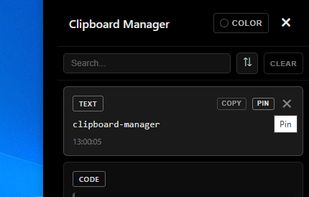
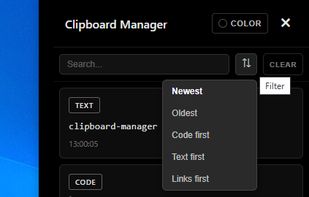
Automatic Categorization: The tool scans every clip and instantly sorts it into CODE, TEXT, or LINK categories. You don't have to search through one long list to find a URL you copied an hour ago.
Type-Specific UI: Each category is treated differently, making it easier to scan for snippets versus plain text.
- Built for Customization
Global Hotkey System: A dedicated system-wide shortcut to bring the manager to the front instantly, no matter what app you’re in.
Developer-Friendly: Because it’s built with Electron/JavaScript, the logic for how it handles "CODE" snippets is designed specifically for programmers who need to store and retrieve syntax frequently.
- Simplicity & Privacy
It runs as a clean, portable utility with a modern CSS-driven interface.
100% Local: Your clipboard data never leaves your machine. There is no cloud syncing and no telemetry—just a private local database.
Vs. Windows + V: We give you 4x the storage and automatic sorting into Code/Links.
Vs. Ditto: We offer a modern UI and a simpler, less confusing setup for people who just want their history back.











 malkimson added Clipboard Manager by Malkimson as alternative to Ditto
No comments or reviews, maybe you want to be first?