
ClickTray icon
ClickTray icon

ClickTray

ClickTray is a free Windows tray app that combines an auto clicker, key presser, macro recorder and stay-awake tool. It uses human-like timing instead of fixed intervals, and you can edit your macros instead of re-recording them. It has no ads and needs no account.
ClickTray screenshot 1

Cost / License

  • Free
  • Proprietary

Platforms

  • Windows
0likes
0articles
Save

Features

No features, maybe you want to suggest one?

Highlights All activities

ClickTray News & Activities

Recent activities

ClickTray information

ClickTray was added to AlternativeTo by Franklin U on and this page was last updated .

No comments or reviews, maybe you want to be first?

Official Links

What is ClickTray?

ClickTray is a free input-automation toolkit for Windows 10 and 11. Four tools live behind one tray icon, and all of them share the same input engine:

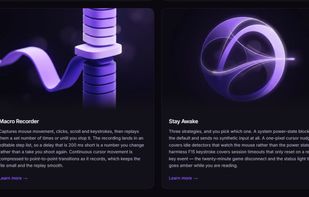
Auto Clicker: set an interval or target clicks per second, and click at the cursor, at a fixed point, or along a multi-step route. It can stop after a set count, after a set time, or on a hotkey. Key Presser: repeat a key, hold it down, cycle through a sequence, or type text at a realistic speed. It sends scan codes, so it registers in games that ignore other auto-typers. Macro Recorder: captures mouse movement, clicks, scrolling and keystrokes into an editable step list. You can fix a single delay or position without recording the whole take again. Stay Awake: keeps a session from timing out using one of three methods: a system power block, a one-pixel cursor nudge, or a harmless F15 keypress.

Timing varies on a bell curve, and click positions can spread within a box you define. This makes the input look natural rather than machine-regular. Pixel and image triggers let a tool run only when something specific appears on screen. F6 stops any session from anywhere, including full-screen apps.
