


Cisdem PDF Converter OCR
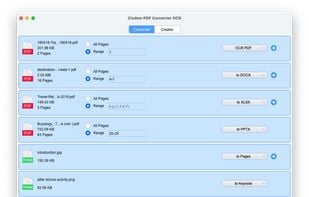
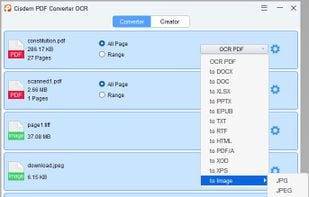
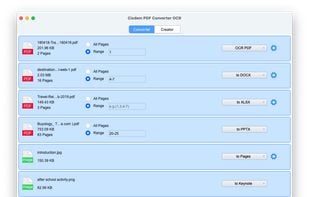
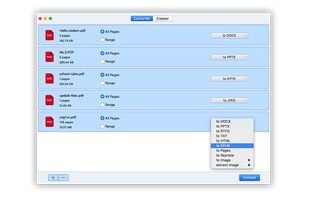
Cisdem PDF Converter OCR can convert both native and scanned PDF to searchable PDF, Word, Excel, PowerPoint, Pages, Numbers, Keynote, ePub, HTML, Text, Rtf, image, etc., with original quality retained.
Cost / License
- Pay once
- Proprietary
Platforms
- Mac
- Windows

Features
- Convert PDF to Word document
- Convert PDF to HTML
- Convert PDF to EPUB
- Convert PDF to image
Cisdem PDF Converter OCR News & Activities
Recent activities
Cisdem PDF Converter OCR information
Developed by
 Cisdem
 Licensing
Proprietary and Commercial product.Pricing
One time purchase (perpetual license) that costs up to $49.Alternatives
50 alternatives listedSupported Languages
- English
AlternativeTo Category
Office & Productivity


What is Cisdem PDF Converter OCR?
Cisdem PDF Converter OCR is a tool that converts PDF documents into various formats such as Word, PowerPoint, ePub, RTFD, Text, HTML, Keynote, Pages, Images, and more. It maintains the original layout, formatting, and graphics, eliminating the need to retype complex PDF documents. It supports OCR scanned and image-based PDF files, converts PDF to over 15 different formats, and can create PDF from mainstream formats. The software can process multiple PDF files at once, handle secured PDF files, and allows users to customize the page range and settings. It can also merge multiple files into a single PDF and modify the output PDF file name.
Comments and Reviews
This app works as it claims. The OCR function is great. It can transform scanned PDFs to searchable and highlightable PDFs or convert them to editable files such as Word, Excel, PPT, Keynote, etc. One of the best parts is that I can manually adjust the OCR recognition.
Its OCR feature really surprised me. I dropped a scanned document into the program, it accurately recognized the file and exported as good-formatting Word document, saved me a lot of time on drafting a file.