



ChatGPT Exporter
Download ChatGPT convos as PDF, Markdown, etc. for free. Download ChatGPT results to PDF. Easily convert ChatGPT to beautiful PDF.
Cost / License
- Free
- Proprietary
Platforms
- Google Chrome

ChatGPT Exporter
Features
- Ad-free
- AI-Powered
ChatGPT Exporter News & Activities
Recent activities
- MarkZhao added ChatGPT Exporter
- POX updated ChatGPT Exporter
ChatGPT Exporter information
What is ChatGPT Exporter?
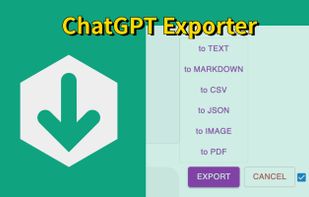
Transform your ChatGPT conversations into beautifully formatted, shareable files effortlessly! Whether for work, study, or personal reference, ChatGPT Exporter is the ultimate tool to download ChatGPT results as PDF, Markdown, Text, JSON, CSV, or Image formats.
ChatGPT is an advanced language model developed by OpenAI that can converse with humans like a human. ChatGPT conversations can be used for various purposes, such as research, training, or entertainment. However, extracting these conversations from ChatGPT can be a challenging task, especially if you have a large number of conversations or need to extract specific conversations only.
ChatGPT Exporter is a tool that has been designed specifically to address this challenge.
💡 Key Features
Beautiful, Professional PDFs
- No Unnecessary Clutter: Generated PDFs are free of distracting browser UI elements.
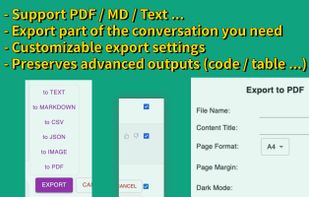
- Customizable PDF Settings: a. Set your preferred filename—no need to rename files post-download. b. Define the content title, even if it’s different from the conversation name. c. Adjust the PDF format (size and orientation). d. Choose between dark or light mode without altering the ChatGPT interface. e. Includes page numbers for easier navigation in long PDFs.
Selective Content Download Export only the parts of the conversation you need. Unlike other extensions, you’re not forced to download the entire chat—just select the specific responses you want!
📂 Versatile File Format Support Export your ChatGPT conversations in multiple formats, including:
- Markdown
- Text (TXT)
- JSON
- CSV
- Image (PNG)
👥 Anonymous GPT Conversations No login? No problem! Download your GPT chats before logging in to ensure your data is captured seamlessly.
🧮 Preserves Advanced Outputs Retains essential GPT formatting, such as: Mathematical formulas (block and inline). Code blocks for developers. Tables and structured content.
🌟 User-Friendly Interface A clean, intuitive design ensures ease of use for beginners and advanced users alike.
🎯 Use Cases and Benefits 📊 Ideal for Professionals Save customer interaction logs, brainstorming sessions, or project ideas. Share polished PDFs or Markdown files with colleagues or clients. 📚 Perfect for Students & Educators Archive study notes or Q&A sessions for later review. Export code snippets, formulas, or tables for assignments. 💻 For Developers Export JSON or CSV for data manipulation or analysis. Preserve code snippets with syntax highlighting in Markdown or PDFs. ?? Content Creators’ Companion Effortlessly save ideas or scripts. Use Markdown files directly in content management systems (CMS).