Cloudflare's dashboard is great for a live look, but it deletes your history. On Free and Pro plans hourly data is gone after about 3 days, detailed per-path, bot and WAF breakdowns after 30 days, and even daily rollups after a year. So questions like "how does this month compare to last year" are impossible to answer from Cloudflare alone.
CFTrends fixes that. Connect a read-only API token and it polls the Cloudflare GraphQL API every hour and stores every metric permanently. When you connect a zone it backfills up to 365 days of whatever Cloudflare still has, so you get real history on day one instead of waiting for it to accumulate.
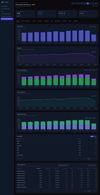
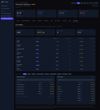
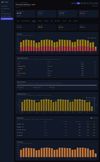
You get year-over-year traffic and cache trends, per-path and per-ASN breakdowns, bot analytics (including which Cloudflare engine detected each bot), AI-crawler visibility, a Cloudflare edge PoP map, permanent Workers and Turnstile analytics, and Challenge Solve Rate monitoring that flags WAF rules quietly blocking real users. Every zone in one dashboard.
If you're comparing options: unlike Cloudflare Log Explorer (per-gigabyte log search, Enterprise-only, capped at two years), CFTrends is flat-priced trend analytics with unlimited retention on any plan. Unlike the free cloudflare-exporter plus Grafana, there's no Prometheus or Grafana to run, and it backfills history the DIY route can't.
Works on every Cloudflare plan. Read-only token, no agents, no log pipeline. 30-day free trial, no credit card.





 EU
EU
 Martin Petak
No comments or reviews, maybe you want to be first?