Carpenter Aid icon
Carpenter Aid icon

Carpenter Aid

This app provides a feature that some carpenters or those in the wood log industry may need. Given a log, how many different dimension rectangular board size can be 'get' out from it. By varying the dimension size and quantity, the most optimal number of boards can be...
Carpenter Aid screenshot 1

Cost / License

  • Freemium
  • Proprietary

Platforms

  • Android
  • Android Tablet
Carpenter Aid screenshot 1
Carpenter Aid screenshot 2
0likes
0comments
0alternatives
0articles

Features

  1.  Unit converter

Carpenter Aid News & Activities

Highlights All activities

Recent activities

No activities found.

Carpenter Aid information

  • Developed by

    SG flagSGH
  • Licensing

    Proprietary and Freemium product.
  • Pricing

    free version with limited functionality.
  • Alternatives

    0 alternatives listed
  • Supported Languages

    • English

AlternativeTo Category

Education & Reference
Carpenter Aid was added to AlternativeTo by sgh on and this page was last updated .
No comments or reviews, maybe you want to be first?

What is Carpenter Aid?

This app provides a feature that some carpenters or those in the wood log industry may need. Given a log, how many different dimension rectangular board size can be 'get' out from it. By varying the dimension size and quantity, the most optimal number of boards can be determined from the log without too much wastage. Feature to set price per sq ft, per sq m etc is also provided so that carpenter/wood seller can determine the total cost for all the boards versus the cost for the log itself.

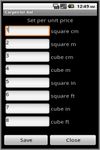
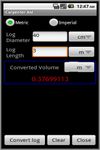
Tap Convert log to get the total volume for the log. It can have different measurement units in it's computation. Tap Set unit price to set the price per sq ft, per sq m. This value will be used in the computation later on in Add board screen.

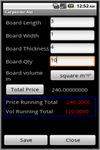
Tap Add board and set the length, width, thickness, quantity and the price. Tap total price and at the bottom there is a price and volume running total computed as you save more boards. Tap Board summary to see all the records you have saved in Add board screen. From this screen, long tap to edit or delete the individual record.

The application support English, Simplified Chinese, Traditional Chinese display.