
Cache Out icon
Cache Out icon

Cache Out

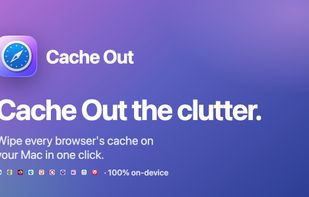
Cache Out is a native macOS app that wipes cache, history, downloads, favicons, and cookies across Safari, Chrome, Firefox, Edge, Opera, Brave, Vivaldi, Arc, Orion, and Dia. Runs entirely on your Mac — no telemetry.
Cache Out screenshot 1

Cost / License

  • Free
  • Proprietary

Application type

Platforms

  • Mac
0likes
0comments
0articles

Features

  1.  No registration required
  2.  Ad-free
  3.  No Tracking
  4.  Works Offline

Cache Out News & Activities

Highlights All activities

Recent activities

Cache Out information

  • Licensing

    Proprietary and Free product.
  • Alternatives

    51 alternatives listed
  • Supported Languages

    • English

AlternativeTo Category

OS & Utilities
Cache Out was added to AlternativeTo by Paul on and this page was last updated .
No comments or reviews, maybe you want to be first?

What is Cache Out?

Cache Out wipes cache, history, downloads, favicons, and cookies across every browser on your Mac — all with a single click.

Everything you want removed, nothing you don't.

Pick exactly which browsers and which data to clear. Cache Out does the rest and tells you precisely what was removed.

  • One-click cleanup: Select what you want removed across all your browsers and clear it in a single click.
  • Five kinds of data: Cache, history, downloads, favicons, and cookies — toggle each one per browser.
  • Every major Mac browser: Clear the cache in Safari, Chrome, Firefox, Edge, Opera, Brave, Vivaldi, Arc, Orion, and Dia — including multiple profiles.
  • Knows what it cleared: Real numbers, not a blank "done": megabytes freed and files removed for every operation.
  • Private by design: Runs entirely on your Mac. No accounts, no subscriptions, no analytics. No data ever leaves your machine.
  • Safe deletions: Every removal is validated against known browser paths, so it only ever touches real cache data.

Your data never leaves your Mac.

Cache Out has no servers, accounts, subscriptions, or analytics. It runs locally and only connects to the internet to check for app updates if you enable the feature. What it deletes stays deleted. Everything else remains with you.